
Upfit Studio
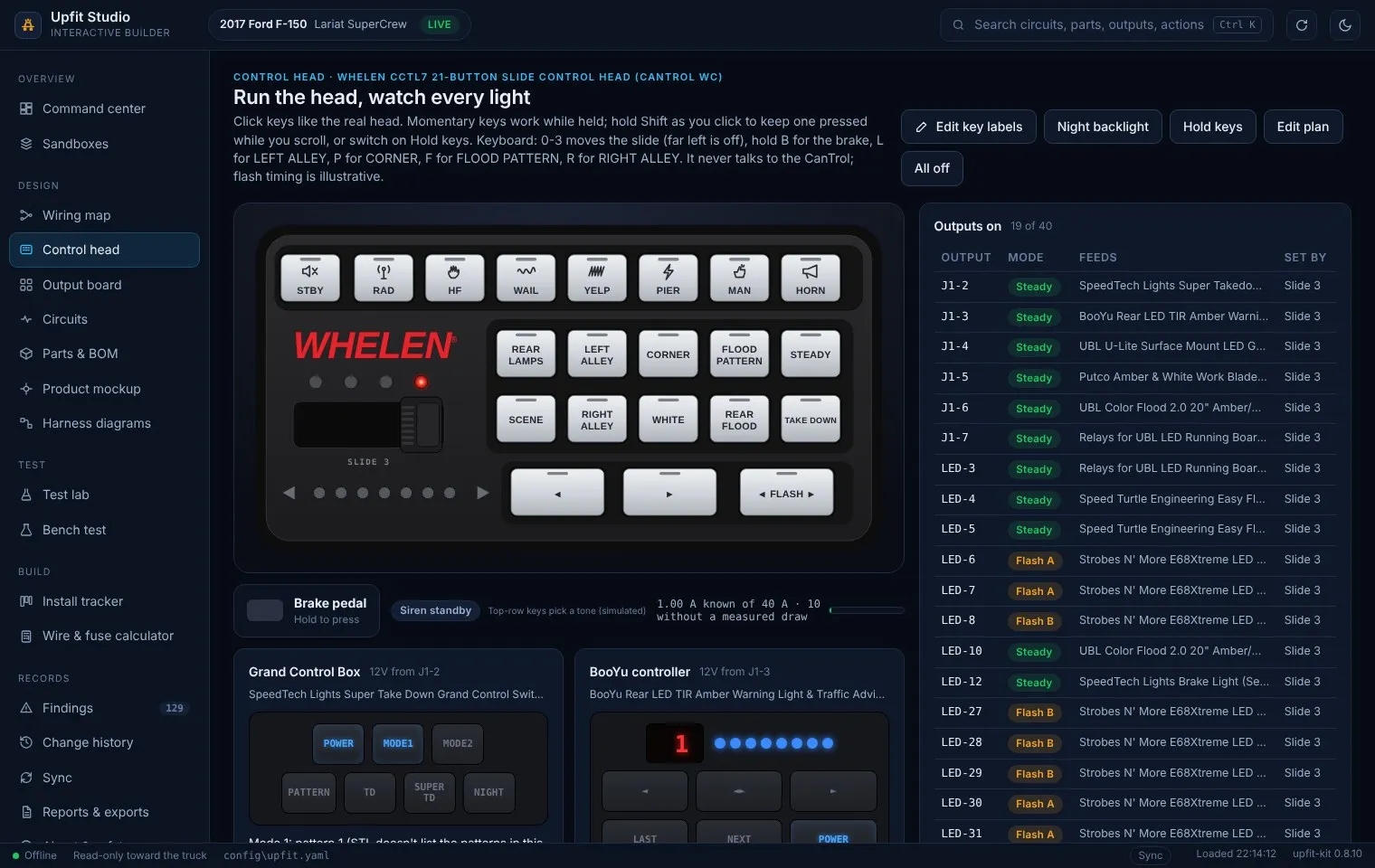
Config-as-code for a vehicle upfit. One YAML file holds every part, circuit, wire and the CanTrol control plan; the app checks the electrical design, simulates the 21-button control head, plans and checks the eight Whelen Command CANport vehicle inputs, builds an installer packet, runs bench tests and syncs a public-safe copy to this portfolio on every save.
One-line summary
Section titled “One-line summary”A local, offline Windows app that turns the F-150 emergency-lighting upfit into one checked config file, and lets me run the Whelen control head, the wiring and the bench test on screen before a single wire goes into the truck.
Why I built it
Section titled “Why I built it”The F-150 build had grown to 20 products, 18 circuits, 32 of the CanTrol’s 40 outputs and a three-position slide plan, spread across a 98-page project document, a parts list and a wiring sheet. Every change (a new rear light, a relay moved to a different output, a re-labelled key) had to be retyped in three places, and the copies drifted. I wanted one source of truth that would:
- check the 12V design every time it changes (voltage drop, fuse against wire, total load against the module’s rating),
- show exactly which light does what in each slide position and button, steady or flashed,
- keep every unconfirmed value visibly blank instead of quietly filling in a guess,
- and keep this portfolio’s output plan current without hand-editing it.
What it is
Section titled “What it is”Upfit Studio (package name upfit-kit) is a Python application with two front ends on one engine:
- Upfit Studio, the main app: a modern interface in a native Windows window (Microsoft Edge WebView2 through pywebview). The page is a local file. There is no web server, and the page’s content security policy blocks every network connection.
- Classic app: a standard-library Tkinter window with the same engine, which opens automatically if WebView2 can’t start.
- Command line:
validate,build,diffandbenchfor scripted checks.validateandbuildexit with an error code when the design has an ERROR finding, so they can gate a release.
The build lives in one file, config/upfit.yaml. The app reads it, checks it and writes it back only when I press Save, with a timestamped backup first and the file’s comments and layout kept.
Release details
- Version
- 0.8.14 (7 Nov 2026; merged into main on GitLab)
- Platform
- Windows 10/11 (target: Panasonic Toughbook CF-33); Python 3.10+
- Interface
- pywebview + Microsoft Edge WebView2, with a Tkinter fallback
- Engine
- Python; PyYAML and ruamel.yaml (comment-preserving saves)
- Diagrams
- WireViz + Graphviz (optional)
- Head mount
- OpenSCAD (optional, for STL export)
- Packaging
- PyInstaller one-folder build via build_exe.bat (runs the tests first)
- Tests
- pytest on Windows (my PC, Python 3.14.10, version 0.8.14, 7 Nov 2026): 257 pass, none skipped. The Windows build script's own run before packaging: 204 pass, 2 skipped
- Network
- None. No telemetry, no accounts
- Vehicle inputs
- Whelen Command CANport plan: 8 of 8 CAN slots used (F150 2017 signal list, CC5K1 kit)
- Source
- Private GitLab repository (moved from GitHub on 6 Nov 2026 after that GitHub account was suspended)
- Built with
- AI-assisted development (Claude Code) from my requirements and build data
Source: Project README, CHANGES.txt and pyproject.toml (repository is private)
Safety boundaries (by design)
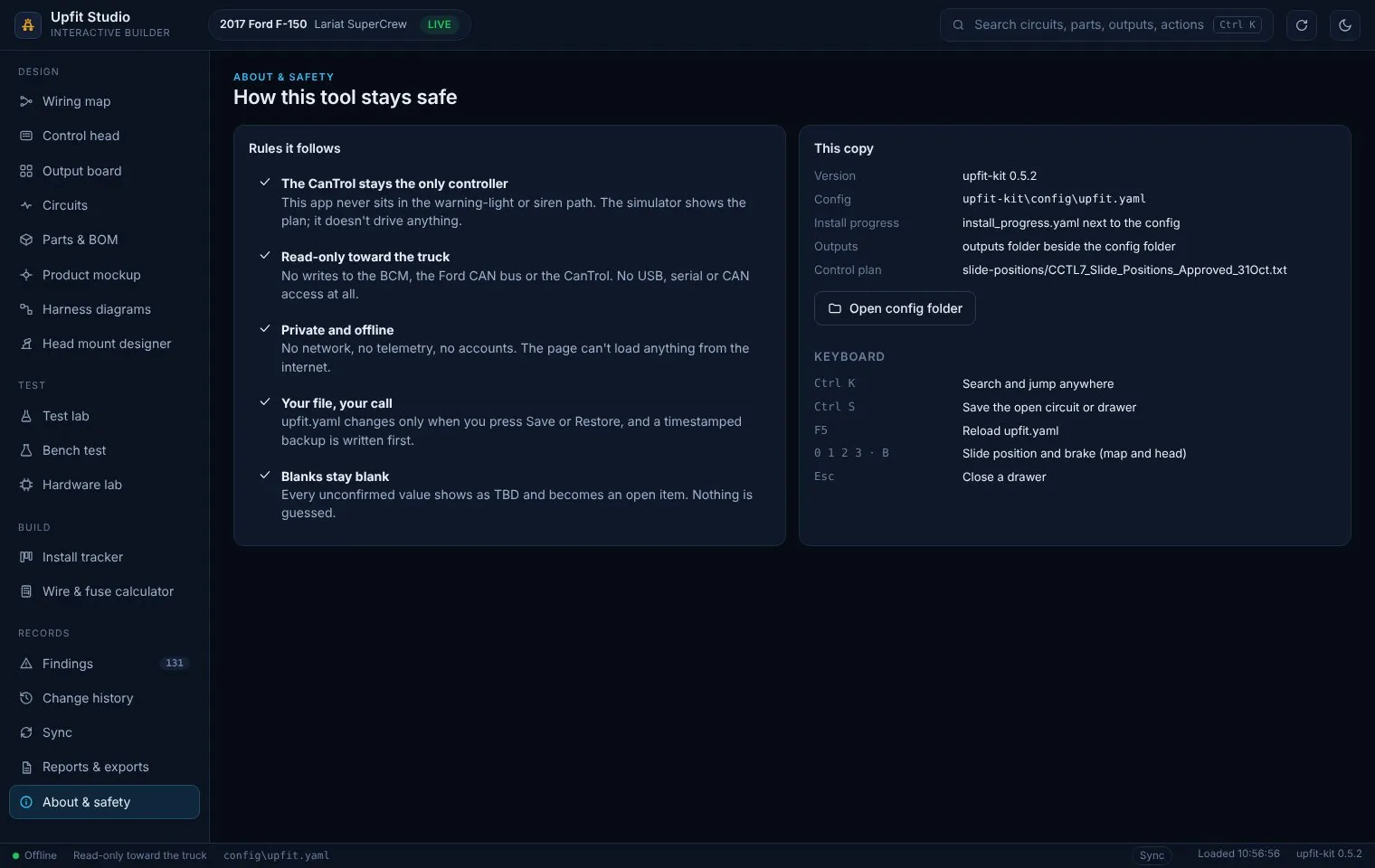
Upfit Studio is read-only toward the truck. It never talks to the Ford BCM, the CAN bus or the Whelen CanTrol, and it has no USB, serial or CAN access. The CanTrol stays the only thing that controls warning lights and siren; the simulator shows the plan, it does not drive anything. Emergency lighting and siren use is regulated by state law and permits. This page is not legal guidance.
Whelen Command CANport setup
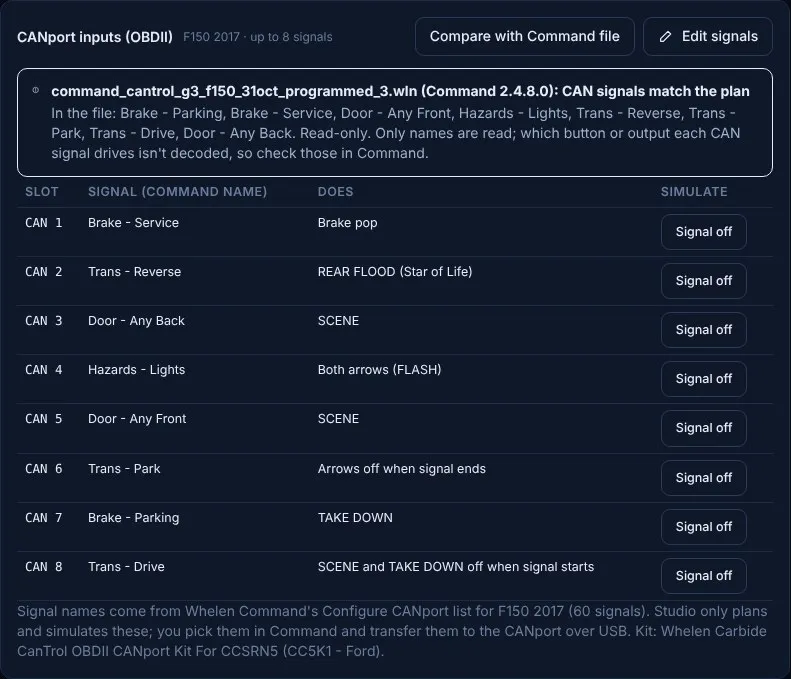
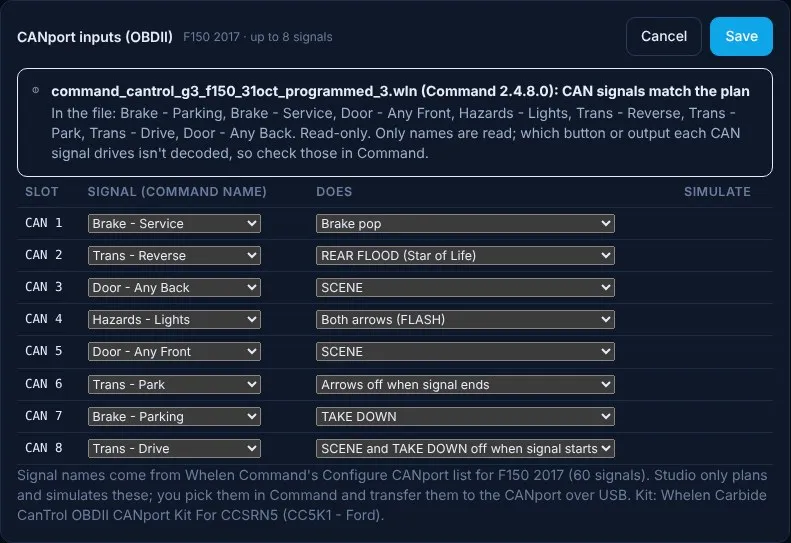
Section titled “Whelen Command CANport setup”New on 31 Oct 2026 (versions 0.8.0 to 0.8.10). The Whelen CanTrol can take up to eight vehicle signals from the truck’s OBD-II port through the Whelen Carbide CanTrol OBDII CANport Kit (CC5K1 - Ford), which I bought on 21 Oct and which arrived on 26 Oct. In Whelen Command you pick each signal from the list Command shows for the vehicle, then decide what it does: turn on a key’s lights, run the brake pop, or switch something off. I planned all eight in Upfit Studio first, keyed them into my Command file, and then used Studio to check that the two agree.
Why it matters for this truck: the brake pop, the rear work light in reverse, the scene light when a door opens, and the “don’t drive off with the take-downs on” rule all come from signals the truck already sends. None of them need a tap into factory wiring.
The eight CAN inputs
Section titled “The eight CAN inputs”This table is generated from the app’s data, so it always matches the current plan. The same table appears on the F-150 CanTrol output plan.
Generated from Upfit Studio 0.8.10 (scripts/sync_upfit_studio.py). Vehicle in Whelen Command: F150 2017 (60 CAN signals listed, up to 8 used). Kit: Whelen Carbide CanTrol OBDII CANport Kit For CCSRN5 (CC5K1 - Ford). Compared with the Command file NewCantrolG3Config - 2017_F-150 - 4.wln (Command 2.4.8.0): all 8 signal names match the plan. Only names are compared; which output each signal drives is checked by hand. File "-4" is a re-save of "-3" with the same settings; the slot notes apply to both. Nothing here is bench-tested.
| Slot | Signal (Command name) | What it does | In Command file | Notes and status |
|---|---|---|---|---|
| CAN 1 | Brake - Service | Brake pop | Yes | Option A brake pop: LED 13, 6, 31 flash about 2 s, then Z-6 steady red while held. Command file -3 (31 Oct) has the first pass only (J4 #17, LED 13 steady); the 2 s flash needs an Event or Virtual Input timer |
| CAN 2 | Trans - Reverse | REAR FLOOD (Star of Life) | Yes | Putco white rear flood (J1-8) on while in reverse (William, 31 Oct). Programmed in Command file -3 |
| CAN 3 | Door - Any Back | SCENE | Yes | Color Flood steady white flood when a rear door opens, for loading gear (William, 31 Oct). Programmed in Command file -3 (Open state: J4 #03, J1 #06) |
| CAN 4 | Hazards - Lights | Both arrows (FLASH) | Yes | Hazard switch turns Both arrows (FLASH) on; hazards off turns it off (William, 31 Oct). Replaces the Key Switch - RUN ignition-sense idea; ignition stays on the J17-7 wire. Programmed in Command file -3 with head arrow display Split; E68Xtreme sweep not set until the bench |
| CAN 5 | Door - Any Front | SCENE | Yes | Color Flood steady white flood when either front door opens; programmed in Command file -3 (31 Oct). Replaces CAN 3 Door - Any Driver |
| CAN 6 | Trans - Park | Arrows off when signal ends | Yes | Shifting out of Park switches the arrows (Right, Left, FLASH) off once; you can press them on again in Drive (William, 31 Oct). Command must treat this as a one-time turn-off when Park ends, not a lockout while out of Park: confirm in Command (BENCH). NOT programmed in Command file -3 yet (OFF state, Inputs tab: SW11, SW12, SW13 Set To OFF) |
| CAN 7 | Brake - Parking | TAKE DOWN | Yes | Setting the parking brake turns TAKE DOWN on; releasing it turns TAKE DOWN off (William, 31 Oct). Programmed in Command file -3, E68Xtreme outputs Turn Off |
| CAN 8 | Trans - Drive | SCENE and TAKE DOWN off when signal starts | Yes | Shifting into Drive switches SCENE and TAKE DOWN off once so you don't drive off with them on; set as a one-time turn-off in Command (BENCH) (William, 31 Oct). Programmed in Command file -3 (ON state, Inputs tab: SW20, SW24 Set To OFF) |
In plain terms:
- Brake pedal (CAN 1) runs the Option A brake pop: three outputs flash about 2 seconds, then the rear Z-6 heads burn steady red while the pedal is held. My Command file has the first pass only (LED Output 13 steady). The 2-second flash still needs a timer in Command.
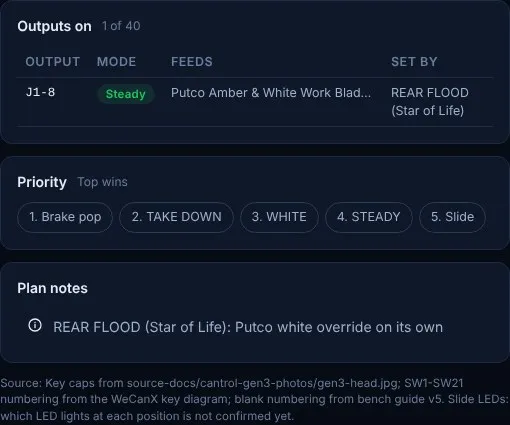
- Reverse (CAN 2) turns on the Putco Work Blade’s white rear flood (J1 Output 8), the same as the REAR FLOOD key.
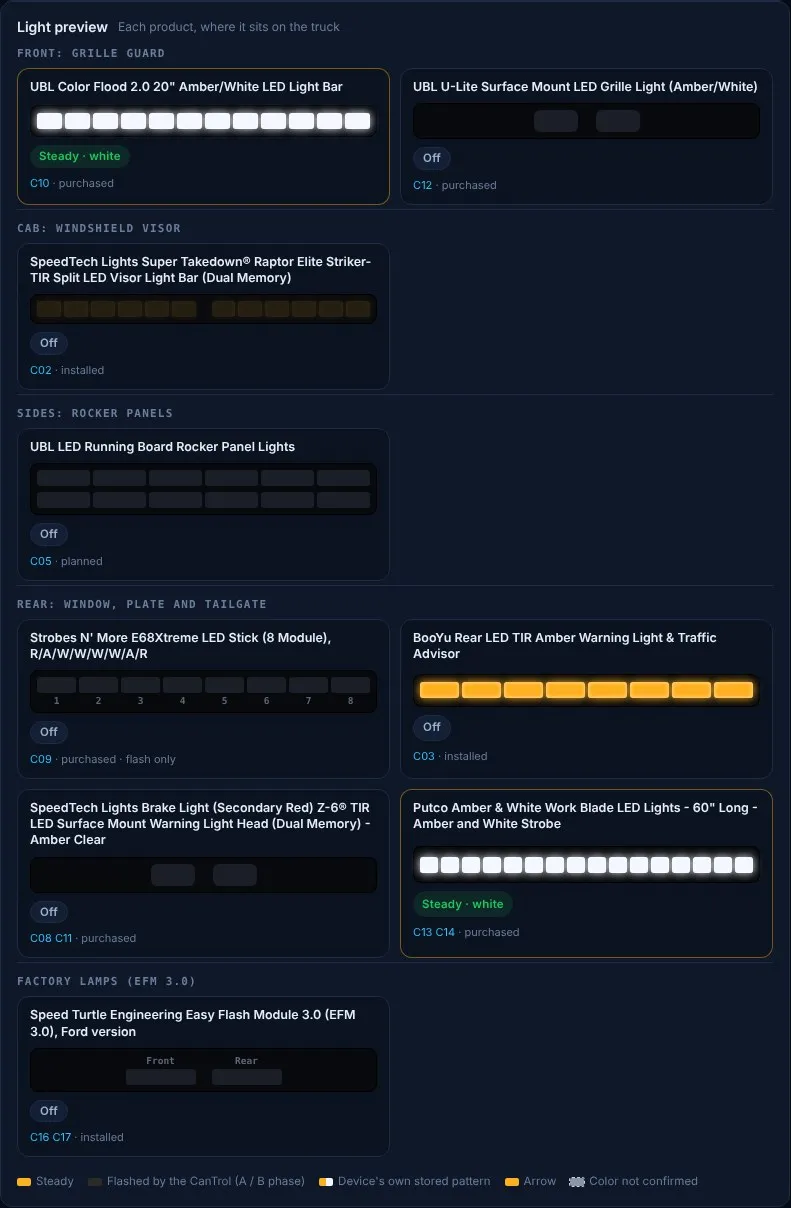
- Any rear door (CAN 3) or either front door (CAN 5) turns on SCENE: the UBL Color Flood 2.0 burns steady white for loading gear.
- Hazard switch (CAN 4) turns on both arrows (FLASH) and turns them off with the hazards. The E68Xtreme sweep part of the arrows isn’t set until the bench test.
- Shifting out of Park (CAN 6) switches the arrows off once. I can press them on again in Drive. This is the one input not yet programmed in Command, and it must be a one-time turn-off, not a lockout.
- Parking brake (CAN 7) turns TAKE DOWN on while it is set and off when it is released.
- Shifting into Drive (CAN 8) switches SCENE and TAKE DOWN off once, so I don’t drive away with the white lights on. They can be pressed on again.
How the setup was built (31 Oct 2026)
Section titled “How the setup was built (31 Oct 2026)”| Version | Change |
|---|---|
| 0.8.0 | New CANport card on the Control head screen. The F150 2017 signal list (60 signals) copied exactly from my Whelen Command screenshots. Up to 8 commands, each slot used once, names must match Command’s list exactly, no signal twice, the action must be a plan key or the brake pop; a refused save leaves the file unchanged. CAN 1 = Brake - Service (brake pop). Installer packet Appendix A3 added. |
| 0.8.1 | CAN 2 = Trans - Reverse turns on REAR FLOOD. |
| 0.8.3 | Driver door to SCENE; Key Switch - RUN proposed as ignition sense; Vehicle Speed as a white cutoff (both later replaced). |
| 0.8.4 | Two new action types: “Arrows off when signal ends” (CAN 6, Park) and “SCENE and TAKE DOWN off when signal starts” (CAN 8, Drive). Parking brake to TAKE DOWN (CAN 7). |
| 0.8.5 | Hazards to both arrows (CAN 4) in place of the ignition-sense idea; ignition stays on its own wire (J17-7). Speed cutoff dropped because the Drive rule covers it. |
| 0.8.6 to 0.8.8 | Door inputs reworked to match what I had keyed into Command: CAN 5 = Door - Any Front. |
| 0.8.7 | New read-only “Compare with Command file” button (below). |
| 0.8.9 | CAN 3 = Door - Any Back to SCENE. All eight slots used. |
| 0.8.10 | Each slot’s note now records exactly what is keyed into my Command file “-3” of 31 Oct. Test added: every CAN slot must have a note. |
The plan went through ten small releases in one day because I was setting up Command and the plan at the same time. Each change was a single slot, with the reason written into the plan, so the history shows every decision.
Compare with a Whelen Command file (read-only)
Section titled “Compare with a Whelen Command file (read-only)”Whelen Command saves the CanTrol’s setup as a .wln file. Whelen doesn’t publish that format. From two files I saved from Command 2.4.8.0 on 31 Oct, the app reads only the table of names inside (inputs, CAN signals, outputs) and the Command version, then lists the CAN signals in the file next to the plan’s.
- My current Command file is “-4” (saved 31 Oct, Command 2.4.8.0). Against it, all eight signal names match the plan, the same as “-3”.
- “-4” is a plain re-save of “-3”: I confirmed on 1 Nov that I changed nothing in Command before saving it. The roughly 50 bytes that differ sit outside the compressed setup data, which is byte-for-byte the same in both files, so the slot notes below describe “-4” as well.
- Only the names are compared. Which output each signal drives, patterns and priorities are binary values the app does not decode, so I check those in Command by hand.
- The app never writes a
.wlnfile. A wrong byte could load a bad setup into the controller that runs the warning lights and siren. - The format notes are worked out from my own sample files and are marked UNVERIFIED in the code. A regression test checks the programmed file against the plan.
Simulating the inputs
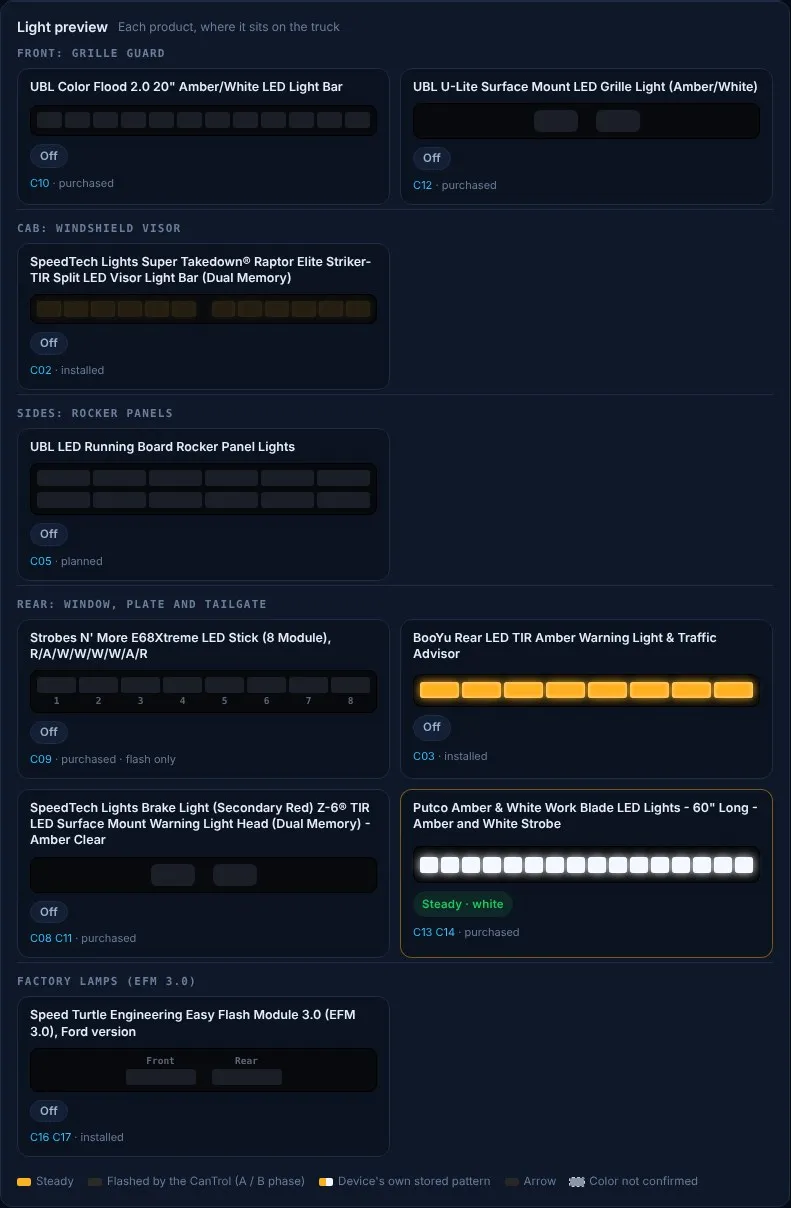
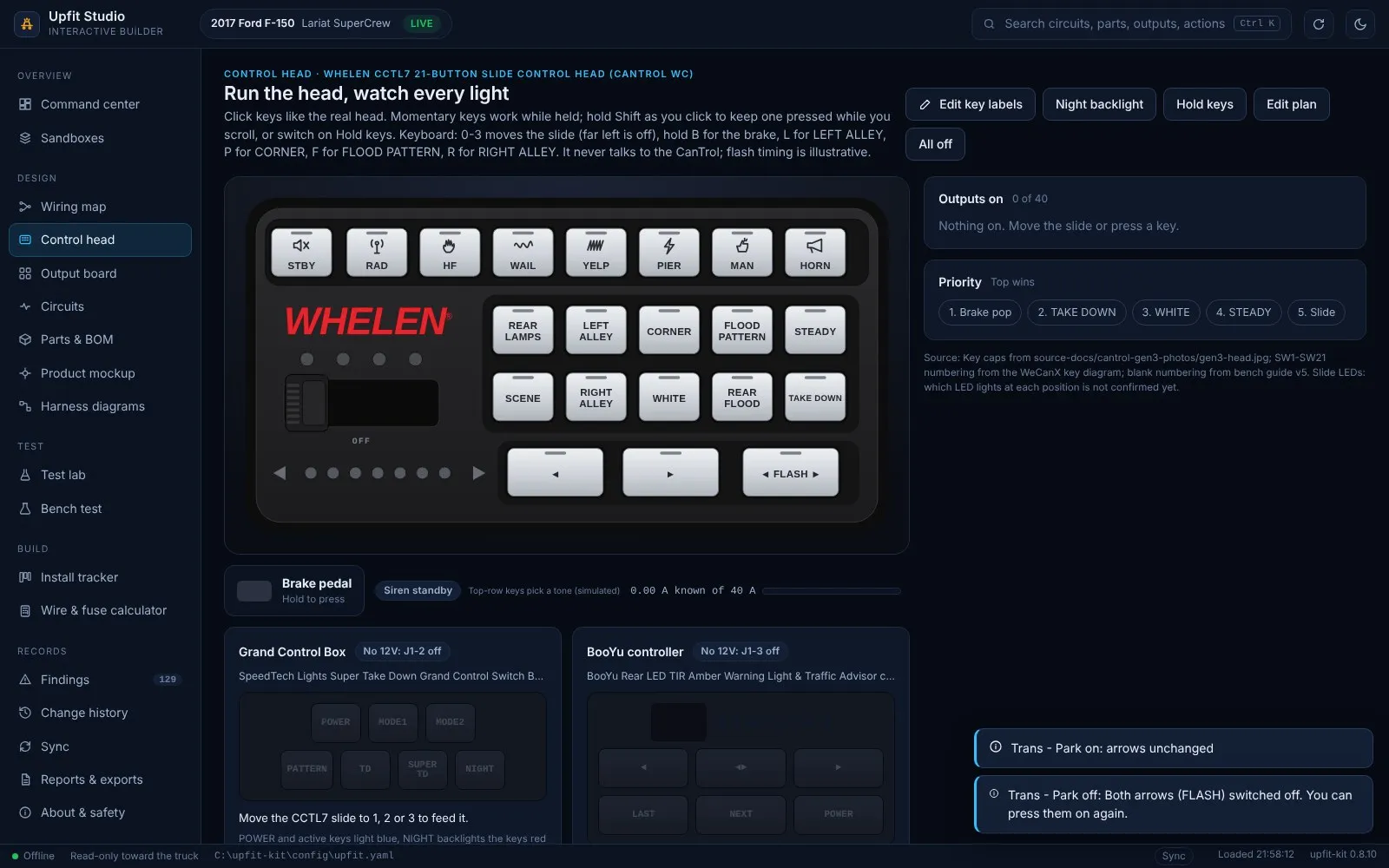
Section titled “Simulating the inputs”Each CAN row on the card has a “Signal on/off” button that acts like the truck sending that signal, so the control head, the outputs list and the light preview show what it would do. Value signals (speed, RPM, fuel level and similar) are flagged, because their threshold is set in Command and can’t be simulated.
Programming sheet for Command
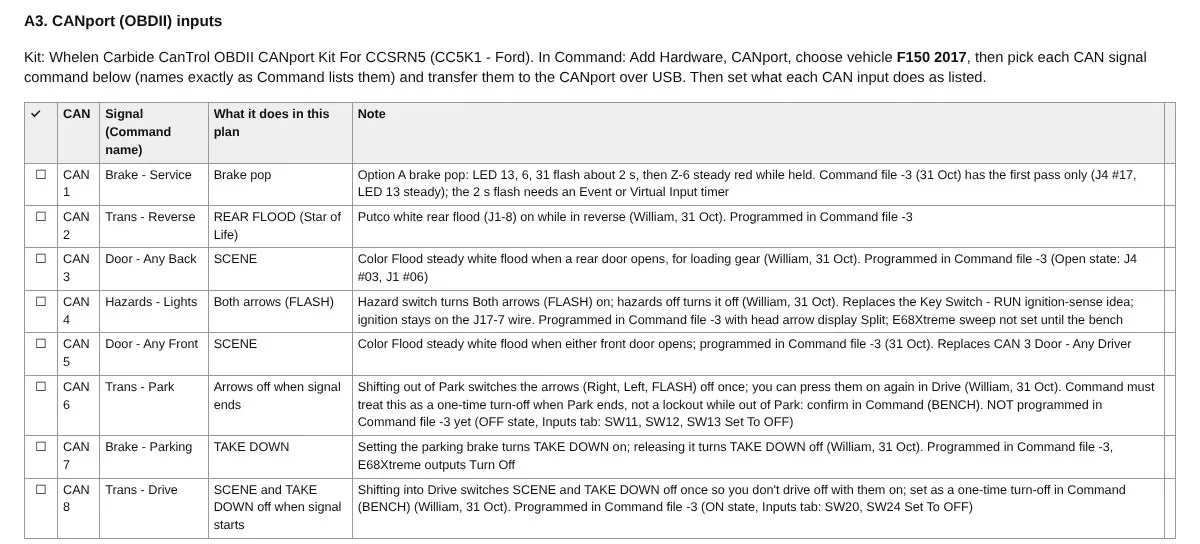
Section titled “Programming sheet for Command”The installer packet (below) now includes Appendix A3, a CANport sheet with a tick box per CAN slot, the exact Command signal name, what it does and the note. It is a sheet to key into Command, never a Command file.
CANport status and open items
Section titled “CANport status and open items”- Programmed in my Command file “-3” (31 Oct): CAN 2, 3, 4, 5, 7 and 8. CAN 1 has its first pass only (steady, no 2-second flash yet).
- Command file “-4” (31 Oct, current): a plain re-save of “-3” (confirmed 1 Nov), so it holds exactly the same setup.
- Not programmed yet: CAN 6 (shift out of Park turns the arrows off once) and the brake pop timer.
- Not bench-tested: none of the CANport behavior has been run on the module and truck. To confirm at the bench: the one-time turn-off on Park and Drive (not a lockout), the brake pop timer, and that the CanTrol module reads the CC5K1 (the module’s model has not been read off its label yet; see the controller page).
- Safety boundary: Studio only plans, simulates and compares. It never talks to the CANport, the truck or Command. Command transfers the setup to the CANport over USB itself. The CANport kit is a read-only input to the CanTrol, and nothing writes to the Ford BCM or CAN bus.
Command Builder for Whelen Command
Section titled “Command Builder for Whelen Command”New on 6 Nov 2026 as a release candidate (0.9.0-rc1 and rc2, on a separate branch, not merged into the released app). On 31 Oct, a Claude computer-use session filled in my Whelen Command file from Studio’s setup sheet: it opened Command on my PC, clicked through each setting and saved the result as Command file “-3”. That worked, but the instructions were written by hand each time. Command Builder makes the same pass repeatable from the plan.
What it produces
Section titled “What it produces”One command, python -m upfit command-run, writes a run packet:
- Setup sheet (printable, with tick boxes): every Command setting in the plan, screen by screen, each marked SET, CHECK or BLOCKED.
- Click order: the SET rows in the exact order to enter them in Command, then the CHECK rows to skip.
- Plan file (JSON) for the read-back check.
- A ready-to-paste prompt for a Claude computer-use session, with the guardrails and Command screen notes from the 31 Oct run already filled in.
The first packet, generated from the live plan on 6 Nov, has 96 settings to enter, 64 to skip and set by hand, and 0 that break a rule.
| Status | Meaning |
|---|---|
| SET | Entered in the pass: key modes, slide positions, key states and outputs turned on. |
| CHECK | Skipped and listed: flash patterns, phase, sweeps, timers, value signals and unconfirmed one-time turn-offs. I set these in Command by hand after the bench test. |
| BLOCKED | Breaks a hard rule (for example an E68Xtreme output on plain Turn On with no flash pattern). The packet is refused until the plan is fixed. |
Versioned files, never overwritten
Section titled “Versioned files, never overwritten”Command files are saved as numbered versions (“- 4”, “- 5” and so on). Command Builder scans the folders where Command files live, starts from the highest version and names the next unused number, so a pass never overwrites earlier work. Today that is “- 4” to “- 5”. It also warns when two folders hold different files under the same number. Two “- 3” files exist, and only the one on the Desktop is the programmed file.
Read-back check
Section titled “Read-back check”After a pass, python -m upfit command-verify reads the newly saved .wln file read-only and checks it against the plan: the Command version, that every output the plan sets exists in the file, and that the CAN signals match. Against Command file “-4” it reports OK. Which output each key, slide position or signal drives isn’t decoded from the file, so I spot-check those on screen in Command before any transfer.
What Command Builder will never do
It never opens Command itself, never writes or edits a .wln file, and never presses Transfer or Extract. The prompt it writes tells the computer-use session the same, and also never to overwrite a file and to stop and ask on any unexpected dialog. Programming the CanTrol stays a manual step I do at the PC, after the read-back check and a bench test with the siren speakers disconnected.
Status
Section titled “Status”- Tested: unit tests only. 217 pass on my PC (Windows, Python 3.14, 6 Nov 2026), including tests that the plan reproduces every setting recorded for Command file “-3”, that E68Xtreme outputs are never set steady, that version numbers are never reused, and that the package contains no file-writing of
.wlnfiles, no subprocess calls and no UI automation. - Not tested yet: the new packet hasn’t been run against the live Command app, and nothing has been transferred to the CanTrol.
- Planned, not built: an optional stand-alone driver for Command that uses Windows UI Automation with screen controls recorded from the real app (no guessed controls), and a local-only trigger from another device. Neither will be able to press Transfer or Extract.
Stand-alone controllers on the Control head screen
Section titled “Stand-alone controllers on the Control head screen”Version 0.6.0 added the two lights that have their own controllers, drawn beside the CCTL7. Each one gets 12V only when its CanTrol output is on (J1-2 and J1-3, slides 1 to 3), as in the wiring plan.
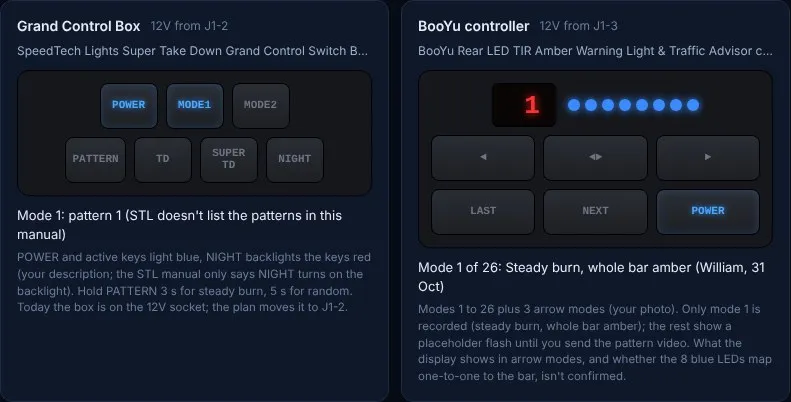
- SpeedTech Lights Super Take Down Grand Control Switch Box (C-GCBSTD) for the Raptor visor bar: POWER, MODE1, MODE2, PATTERN (press for the next pattern, hold 3 s for steady burn, 5 s for random), TD and SUPER TD (steady burn, work without POWER) and NIGHT, from the STL manual p.4. The NIGHT key colors come from my description; the TD LED color isn’t confirmed.
- BooYu traffic advisor controller: POWER, NEXT, LAST, three arrow keys, the 2-digit mode display (1 to 26) and 8 blue indicator LEDs. Only mode 1 is recorded (steady burn, whole bar amber); the rest show a placeholder until I record the pattern video.
Installer and EVT quote packet
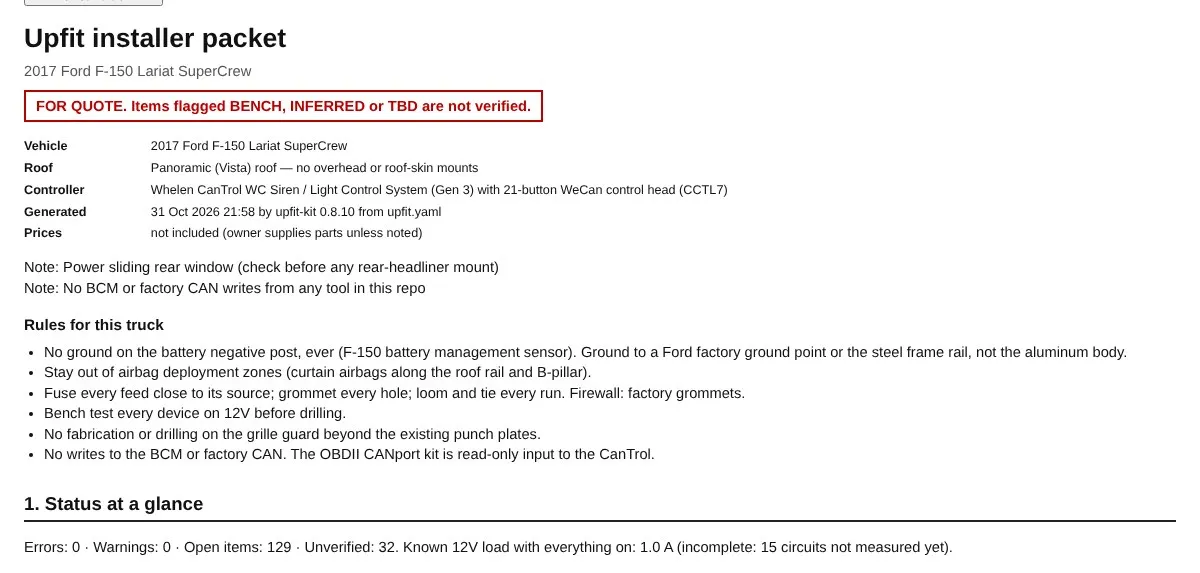
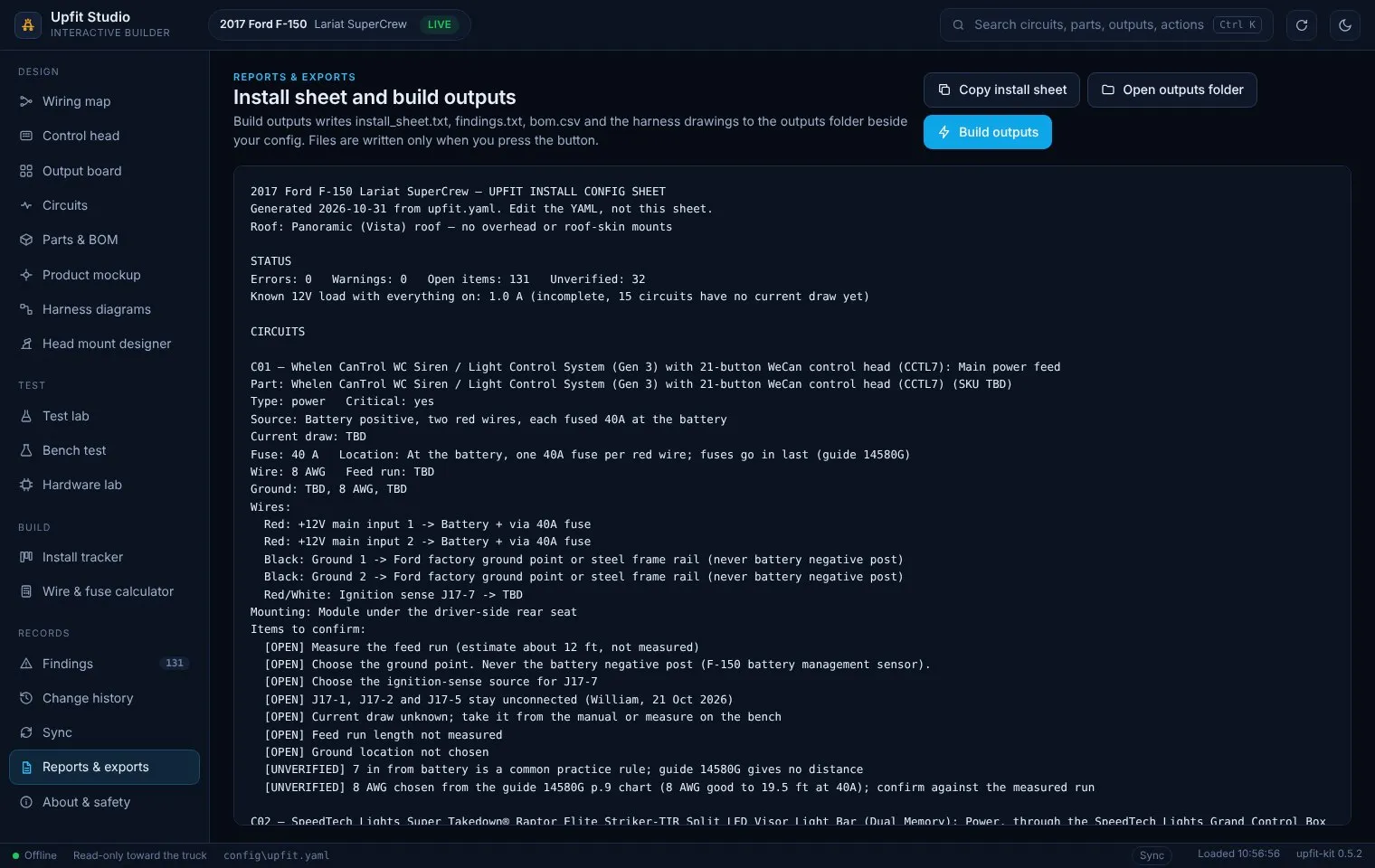
Section titled “Installer and EVT quote packet”Version 0.7.0 added Reports & exports > Build installer packet: one ZIP I can email to a shop or emergency vehicle technician (EVT) for a quote. It holds Installer_Packet.html (print it or save as PDF) and CSV files for parts, circuits, wires, labor scope and the Whelen Command programming sheet (outputs, keys and CANport).
The HTML has the cover and rules for this truck (no battery-negative ground, airbag zones, fuse and grommet, bench first, no grille guard fabrication), status, parts list, circuit schedule, system diagram, wire-by-wire tables, control plan, open and unverified items, a labor scope with an hours column, and Appendix A: all 40 outputs, all 21 head keys and the eight CAN inputs, with a tick box per row and CHECK on rows that depend on a bench result. Prices are left out unless I tick “Include prices”, and anything on a redact list is always removed. The app only writes the files; I send them.
Screenshots
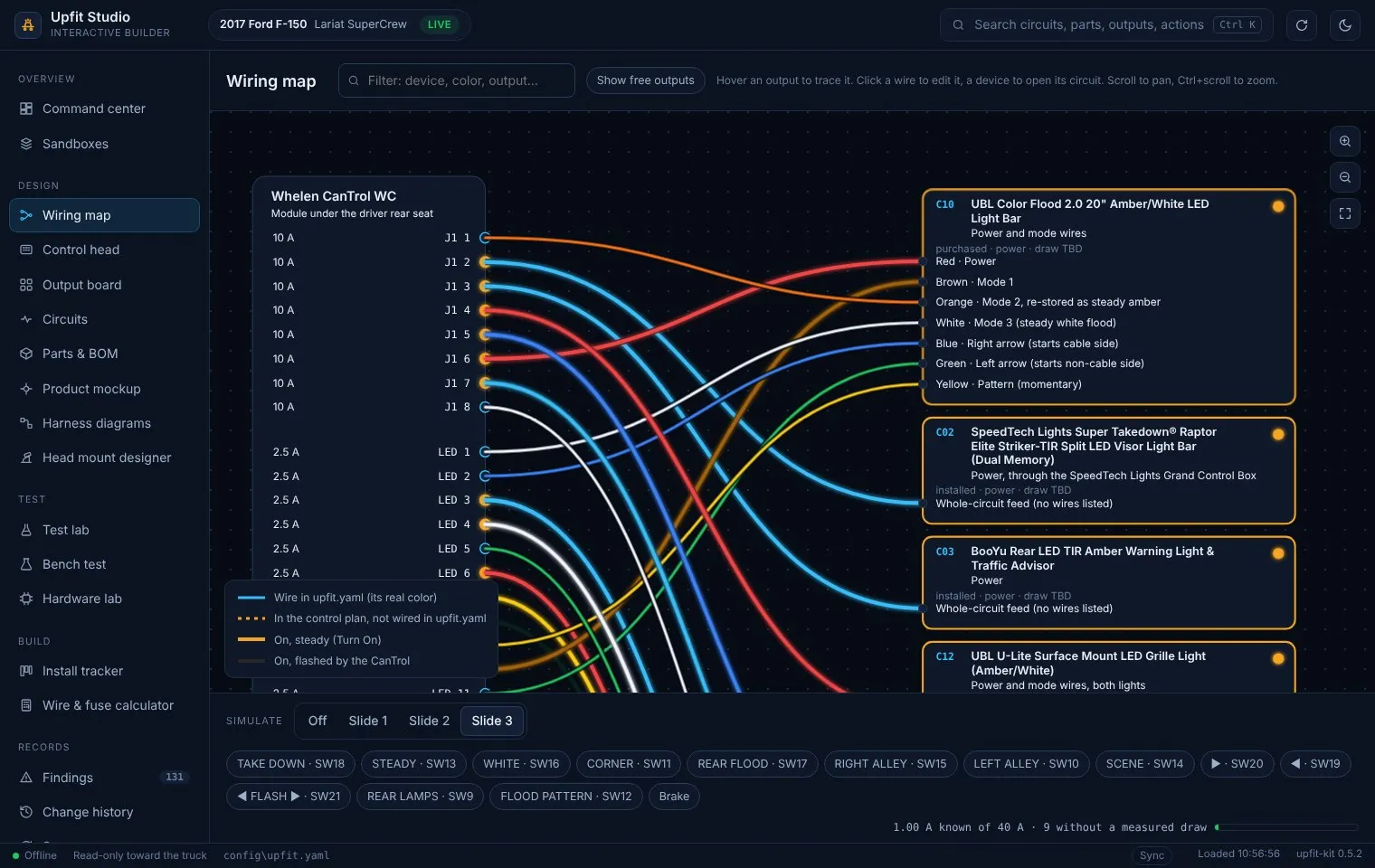
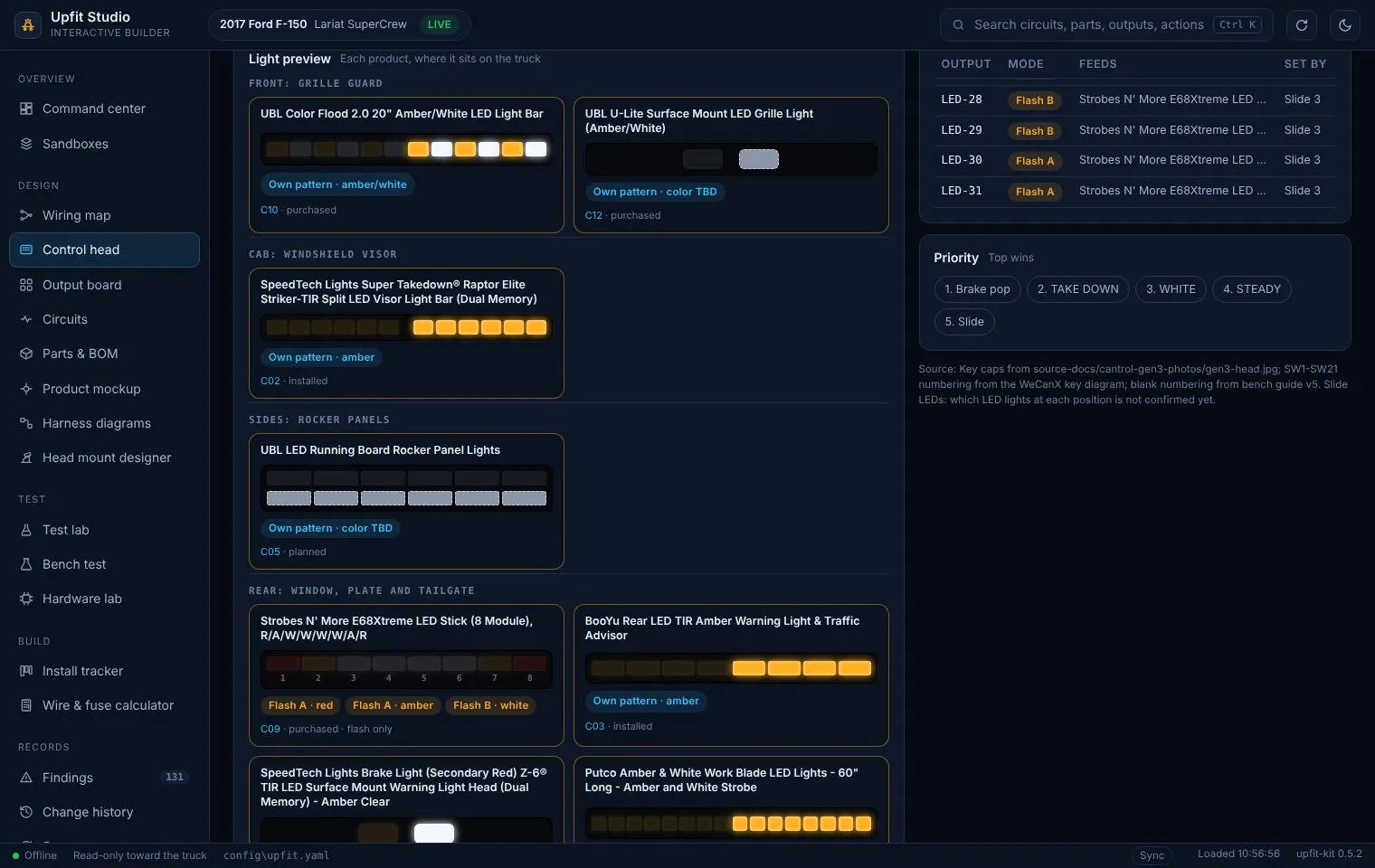
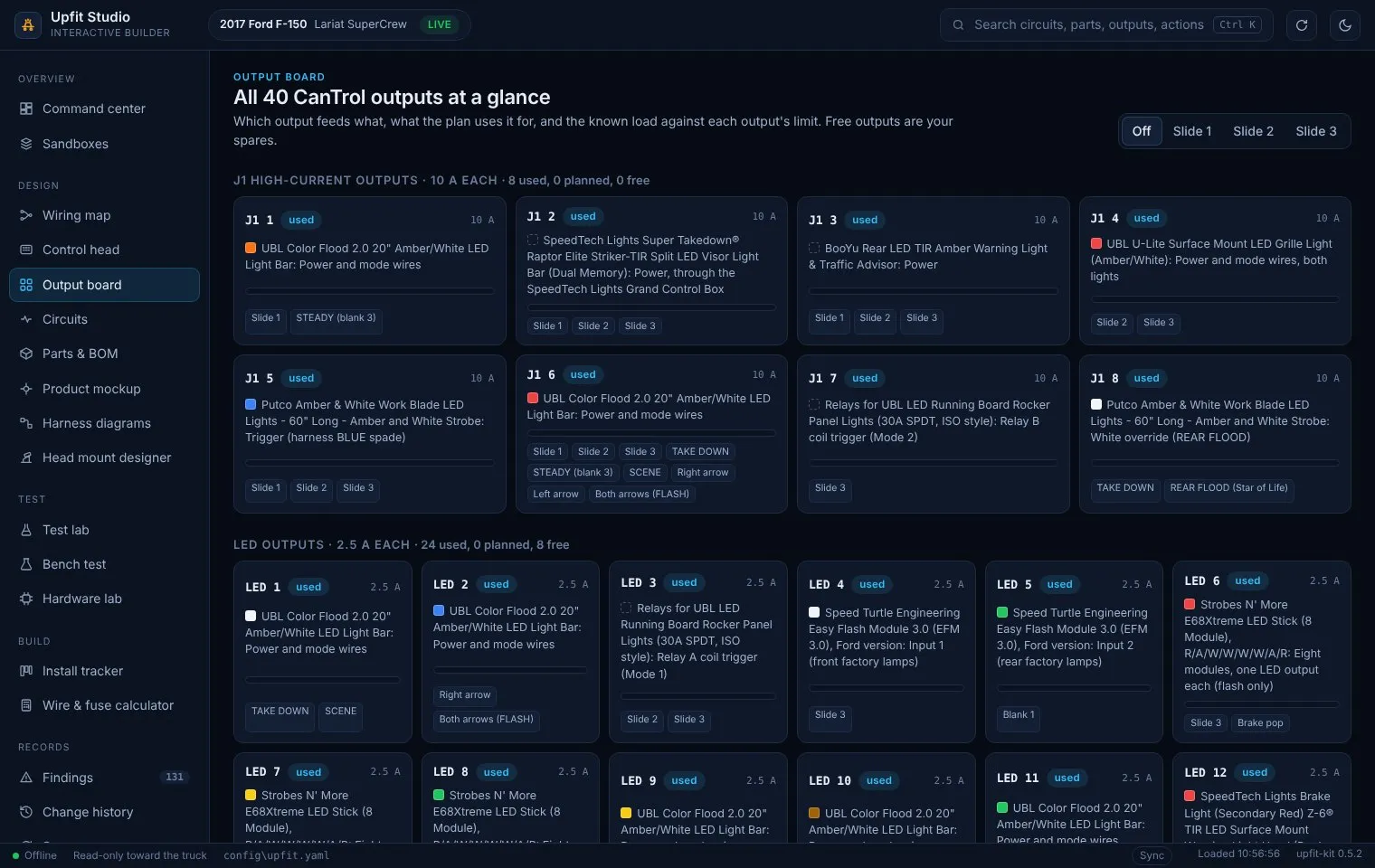
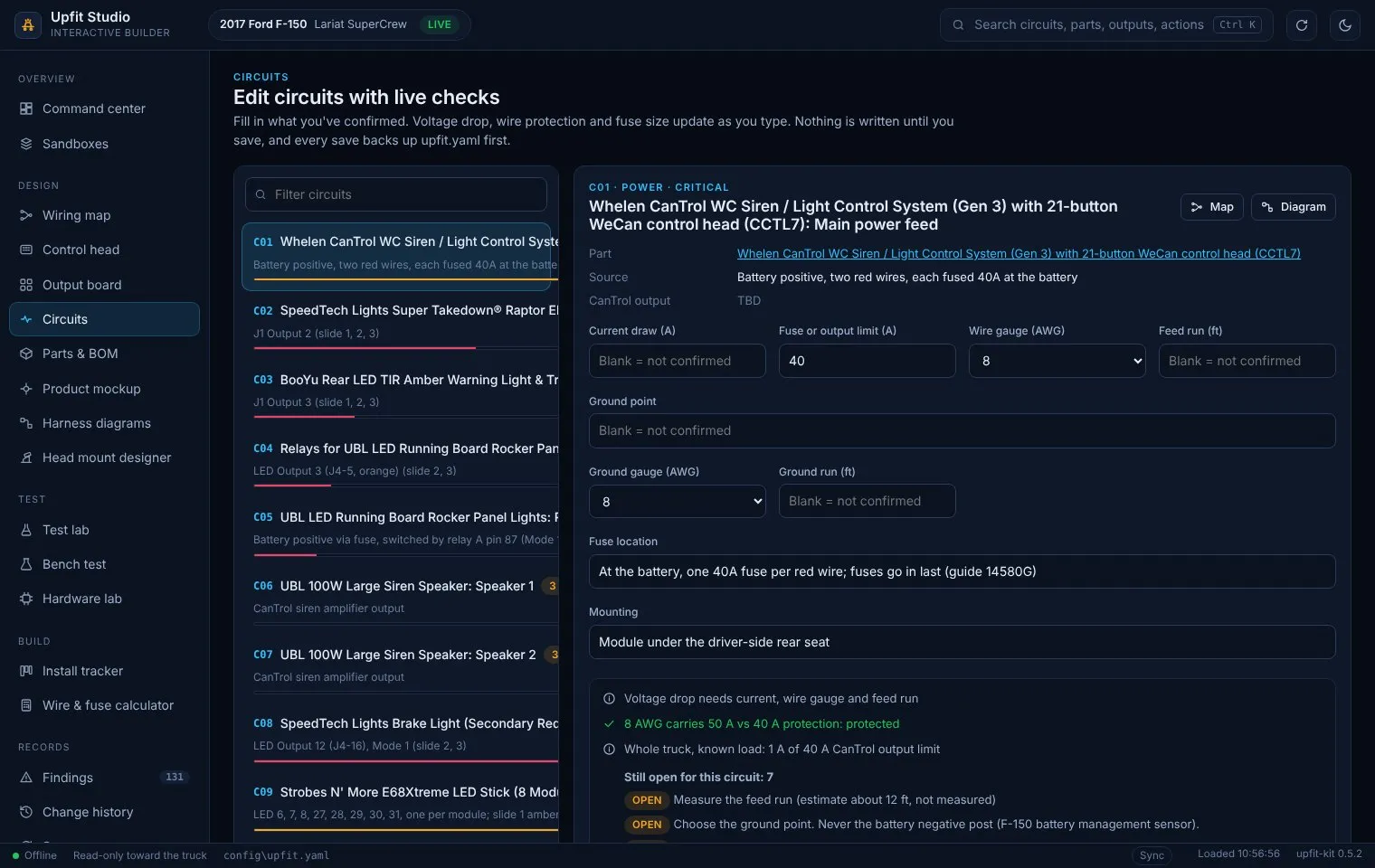
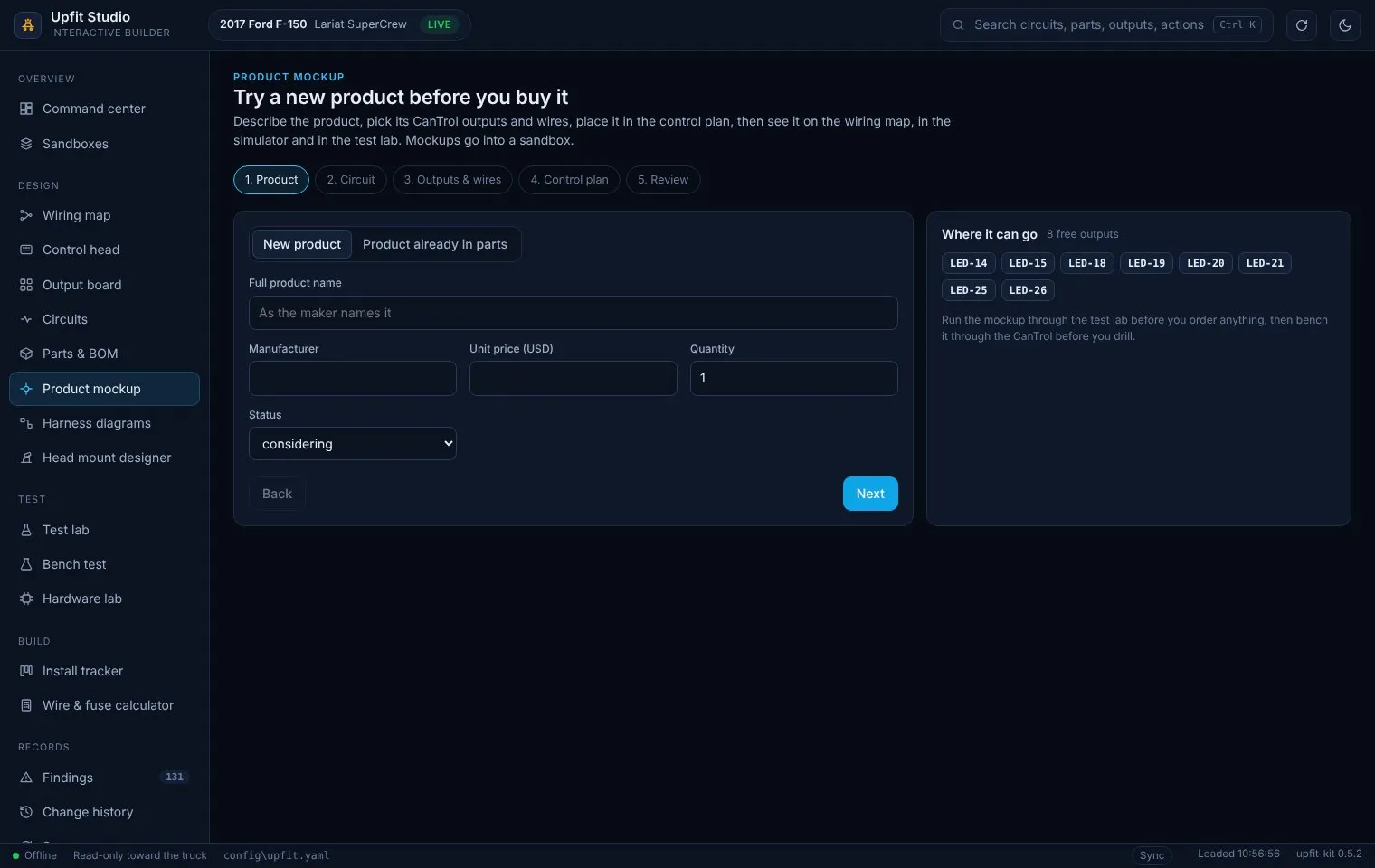
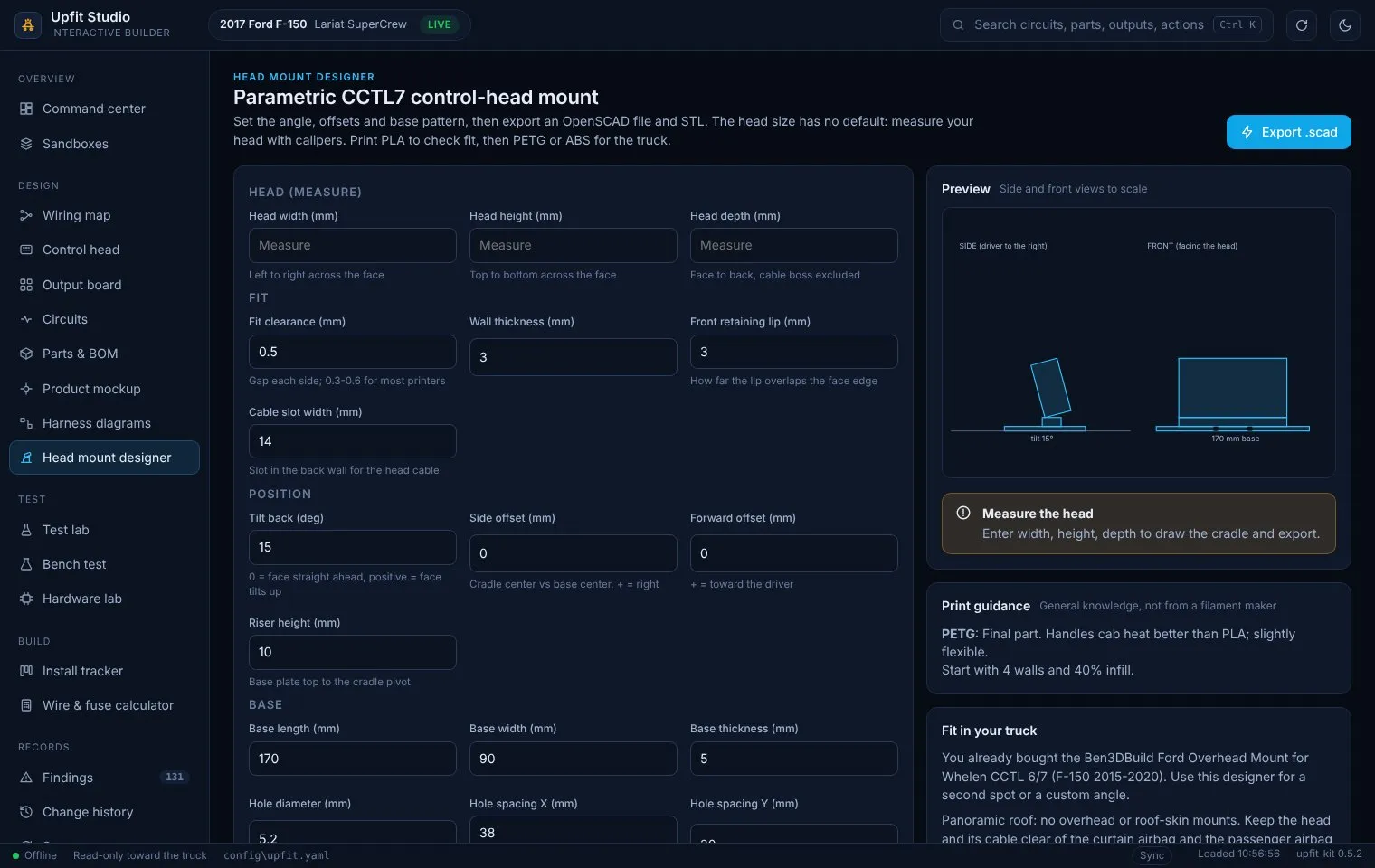
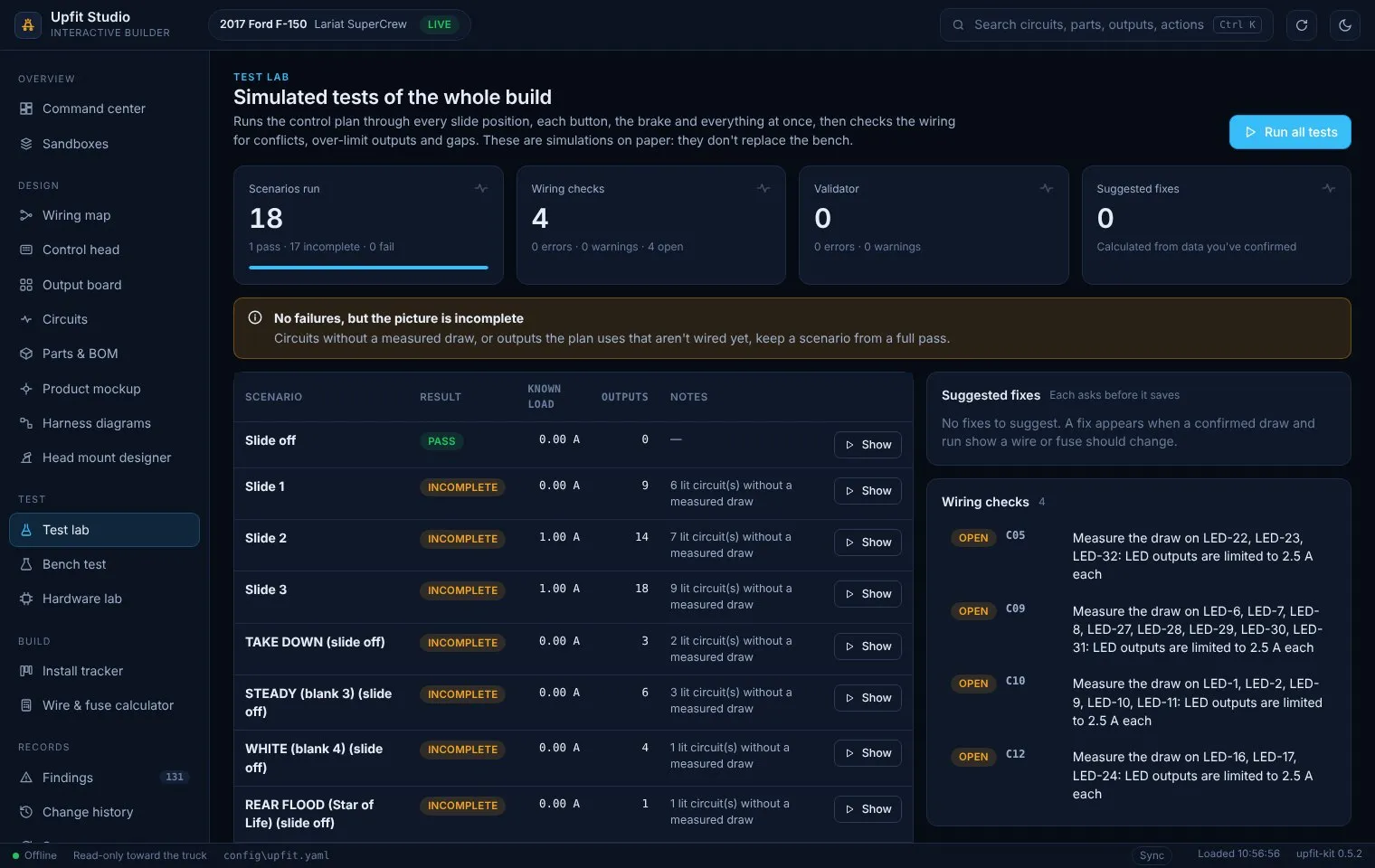
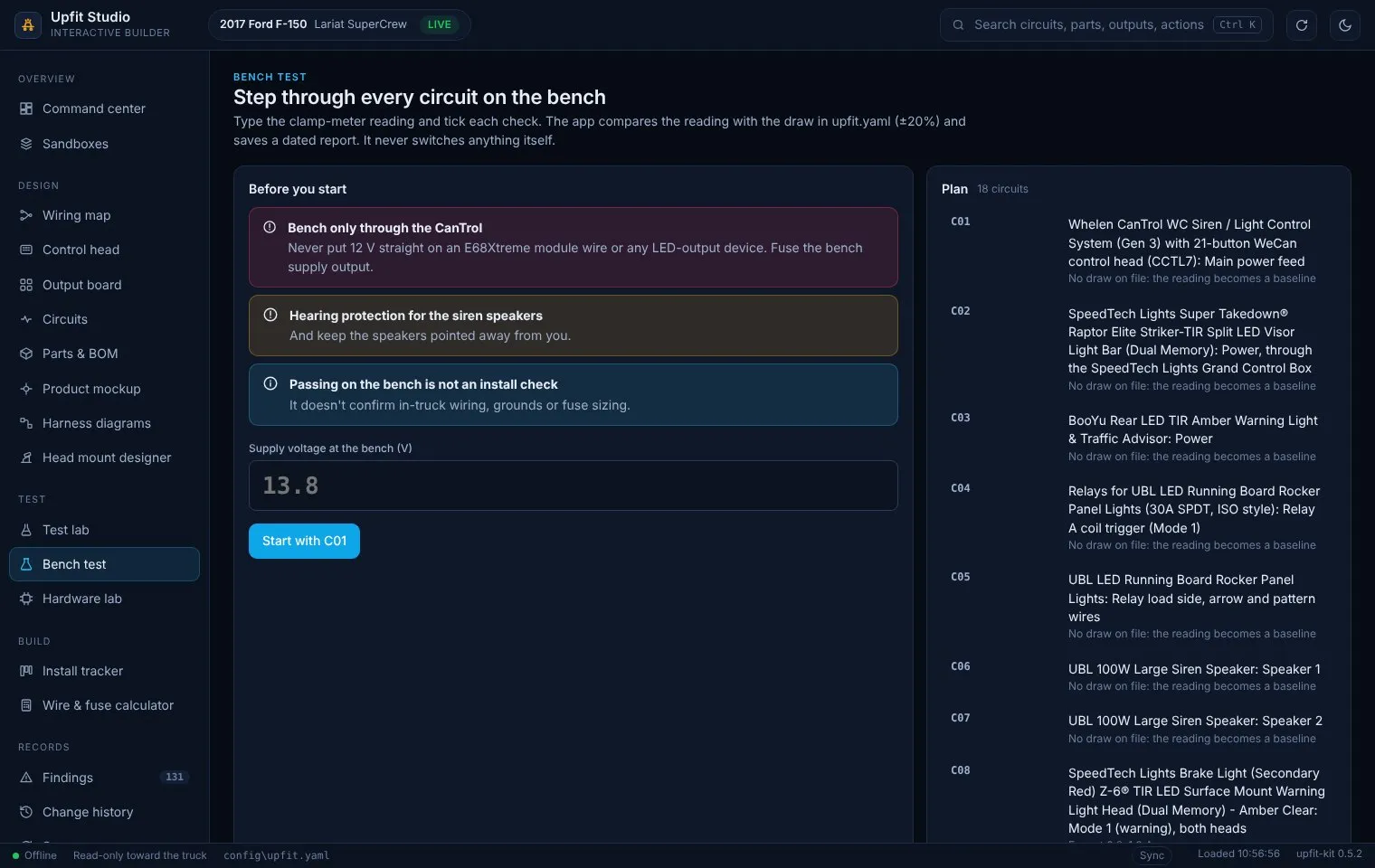
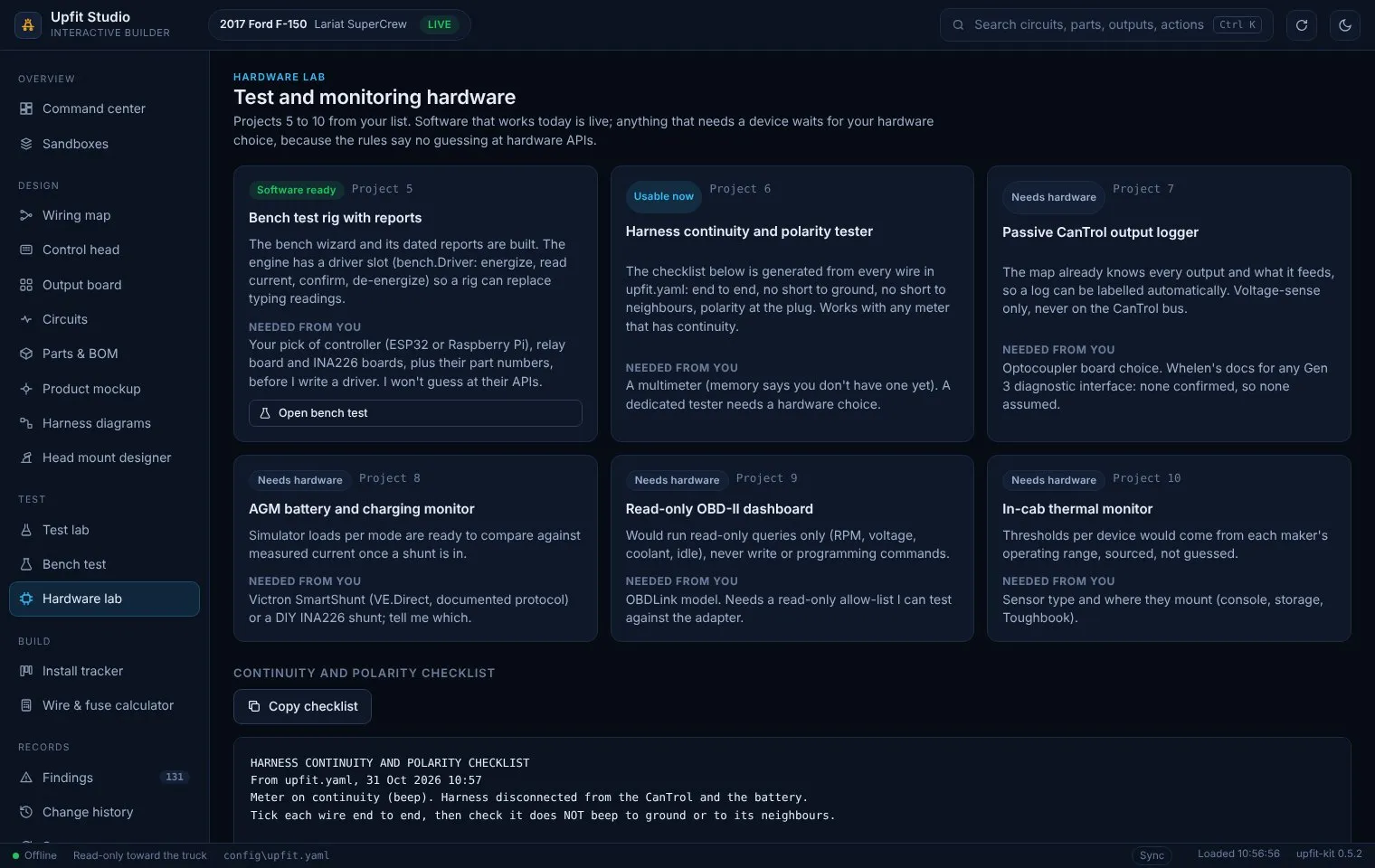
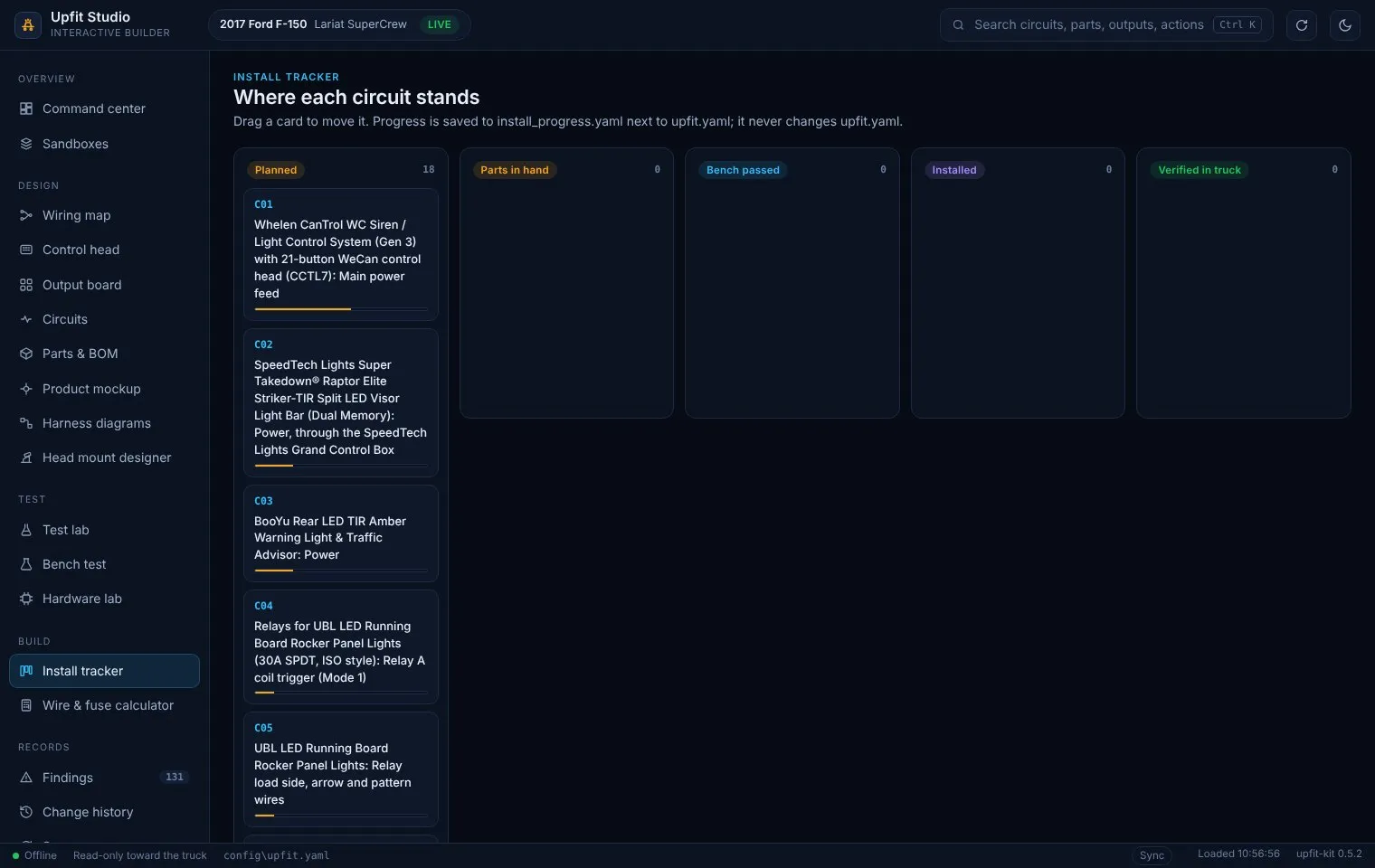
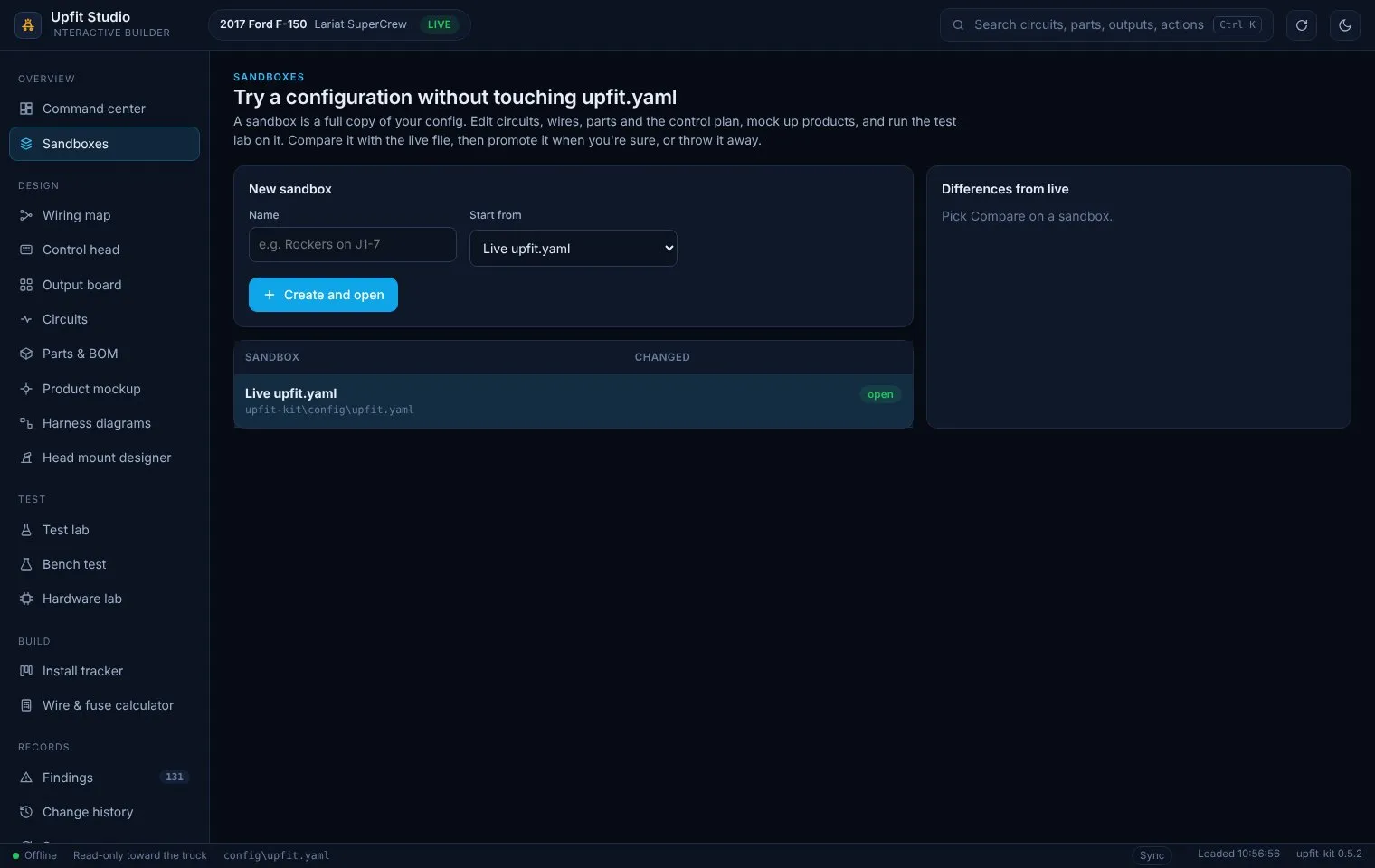
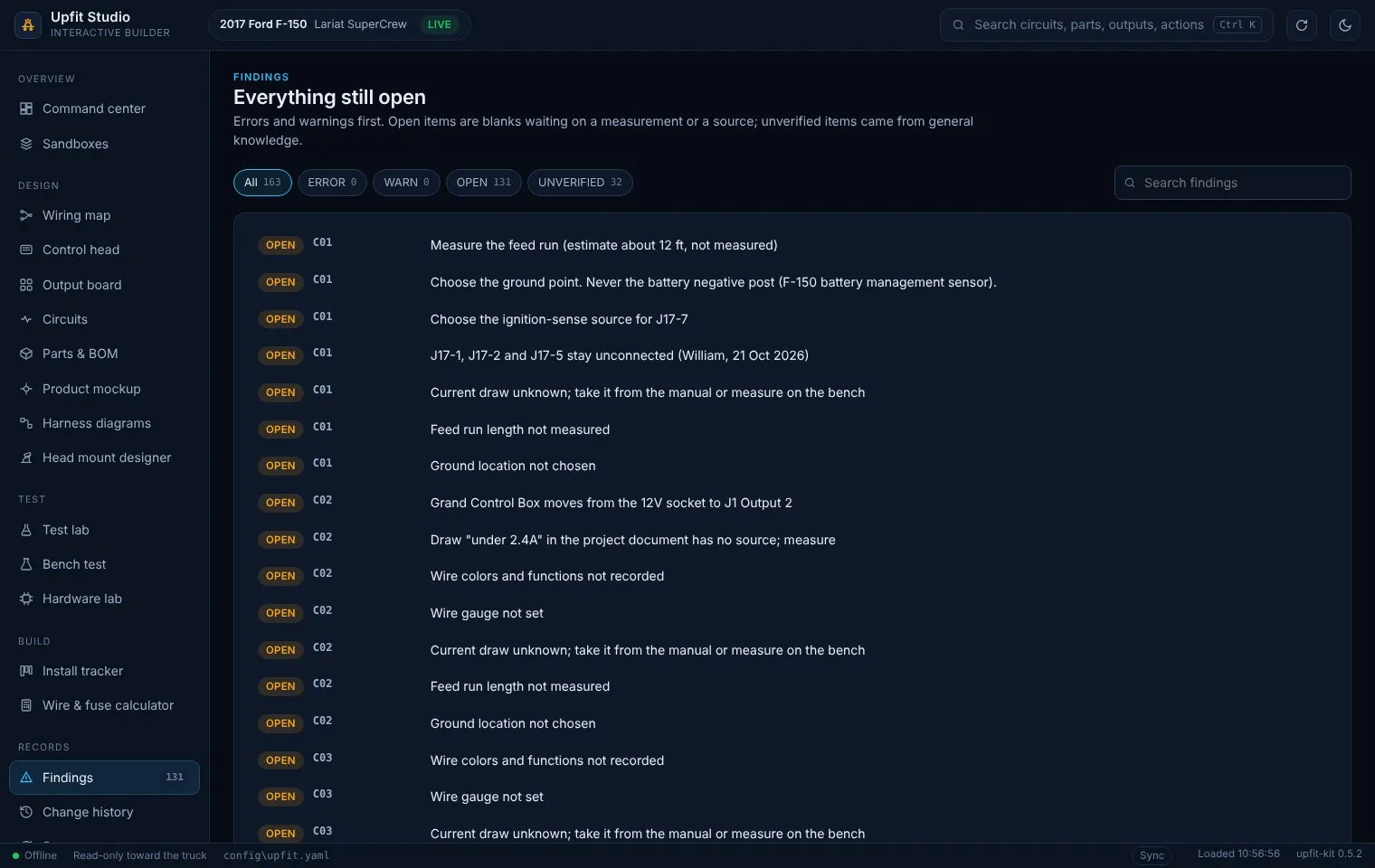
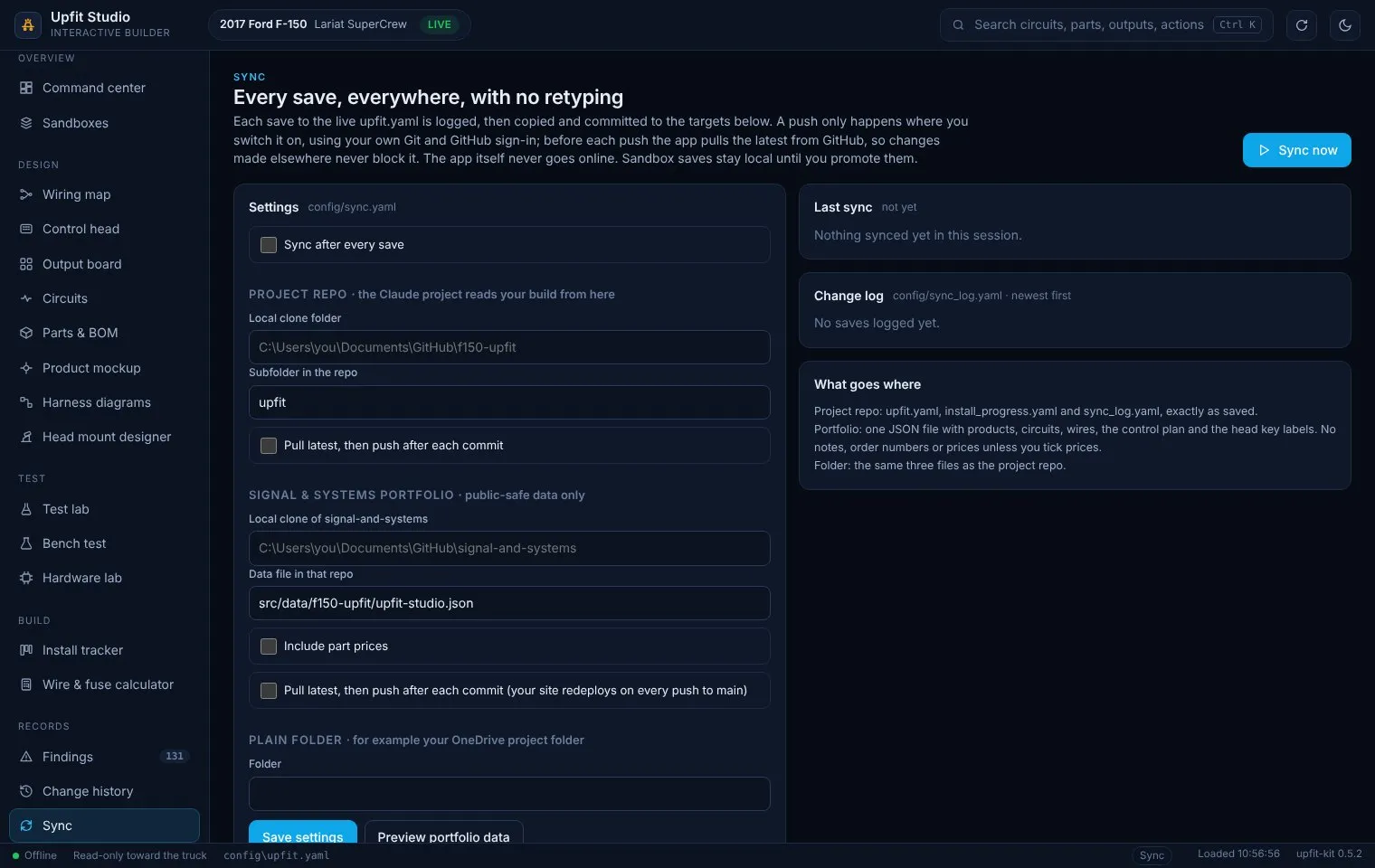
Section titled “Screenshots”The screens below were captured 31 Oct 2026 from version 0.5.2, except the control head, which was retaken on 0.8.10; the CANport, controller and packet images above are from version 0.8.10, captured the same way running the live F-150 config in a browser harness on Linux (the same page the Windows window loads). Prices and order notes were removed from the screenshot copy of the config, and the budget card was hidden, so no spend totals appear. Folder paths shown are the app’s placeholders. These show the software only: nothing on these screens has been bench-tested or programmed into the CanTrol.
Design
Section titled “Design”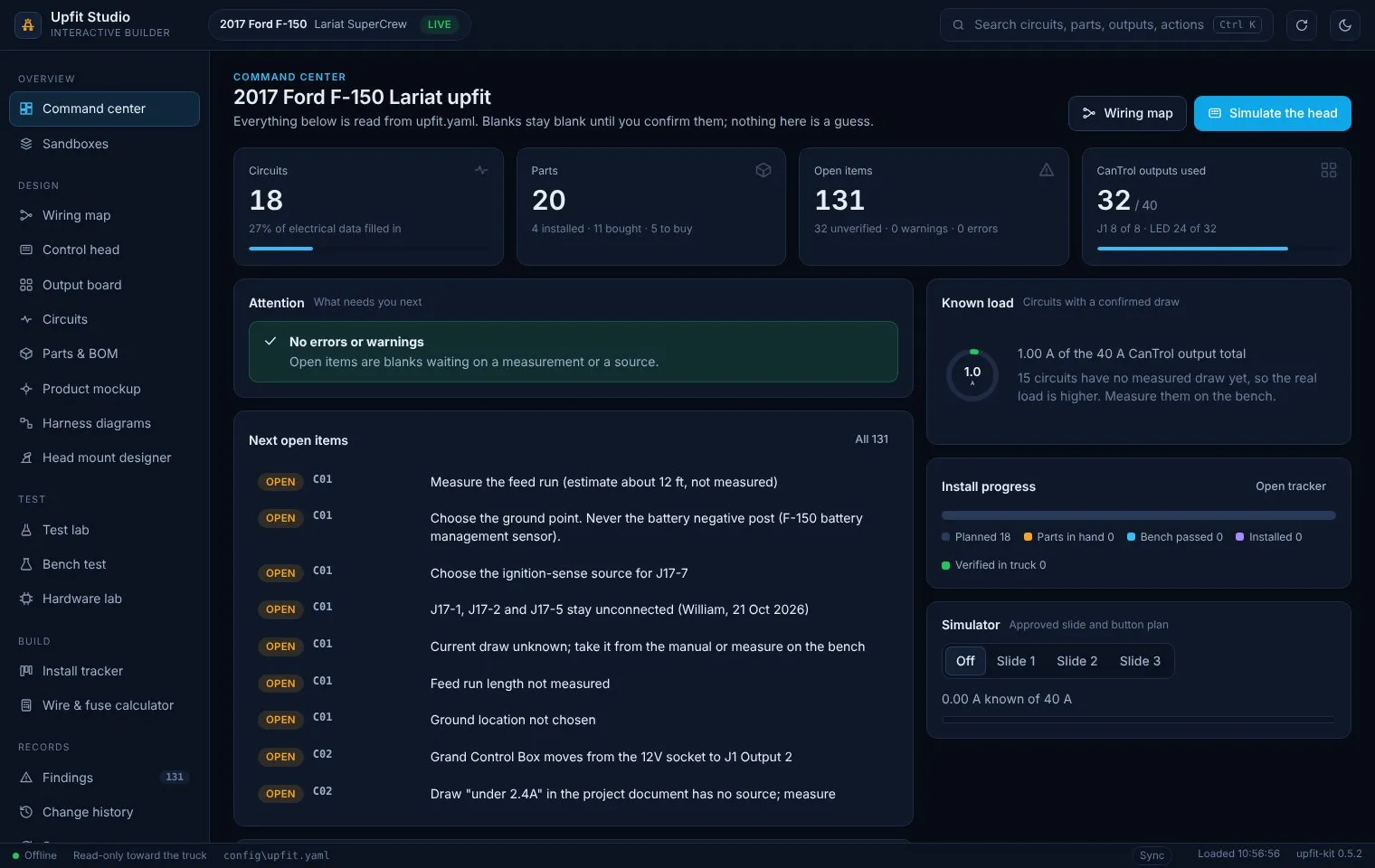
Build and records
Section titled “Build and records”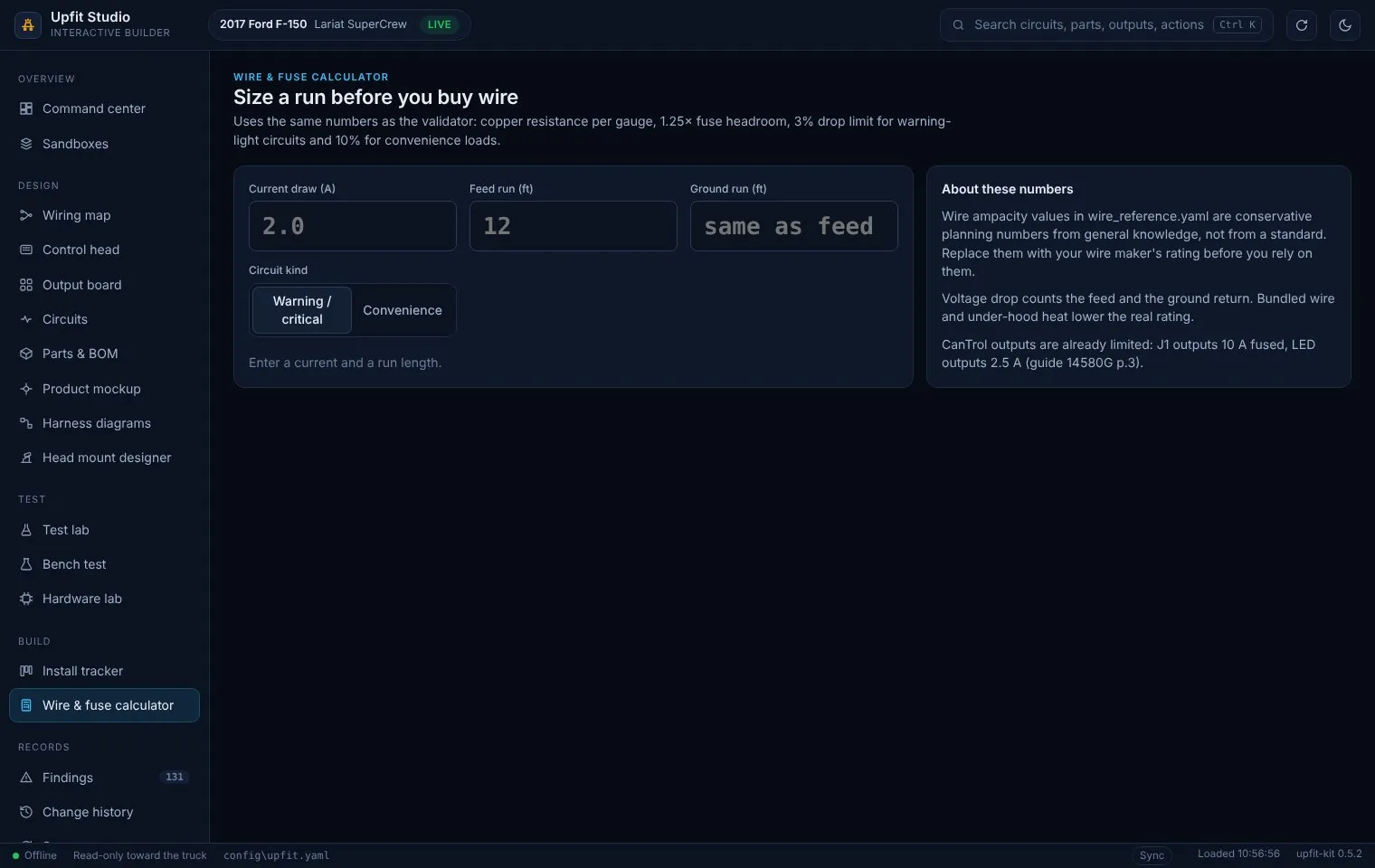
Key capabilities
Section titled “Key capabilities”Design
- One YAML file for the whole build: vehicle, parts (with status), circuits, wires (color, function, where each lands), and the CanTrol control plan for slide positions 1 to 3, every key and the brake pop.
- Full product names everywhere. A check flags ruled-out short forms (for example “SpeedTurtle” or “STL”) as errors so reports stay consistent with the project document.
- Wiring map, output board and control head views all read the same data.
Electrical checks
- Voltage drop over feed plus ground return, against 3% (critical) or 10% (non-critical). A blank ground length is assumed equal to the feed and flagged.
- ERROR if a fuse or CanTrol per-output limit exceeds the wire’s ampacity; WARN if a fuse is under 1.25x continuous load.
- ERROR if the everything-on draw of CanTrol-fed circuits exceeds the module’s 40 A total output rating (Whelen guide 14580G, p.3).
- ERROR if the plan would burn a flash-only product steady (set on the E68Xtreme stick from the Strobes N’ More guide).
- Suggests the smallest standard fuse and thinnest wire that pass both checks.
Simulation
- Control head replica: 21 keys with my printed caps, 4-position slide (far left is off), slide LEDs, 7-dot arrow indicator, simulated siren keys, a hold-to-press brake pedal and a night backlight view. Priority order: brake pop, TAKE DOWN, WHITE, STEADY, slide.
- Each output is shown as steady (Turn On) or CanTrol Flash A/B.
- Test lab runs every combination and lists wiring gaps and suggested fixes, each of which asks before it saves.
Vehicle inputs (CANport)
- Plans up to eight Whelen Command CAN signal commands from Command’s own list for the truck, with checks on slot, name, duplicates and action.
- Simulates each signal, including one-time turn-offs (Park ends, Drive starts).
- Compares the plan with a Whelen Command
.wlnfile, read-only.
Gaps and readiness (0.8.14)
- Fill the gaps ranks circuits missing a current draw, shows where in the manual to look, and saves each value with a required source (manual page, bench measurement or estimate).
- Ready to transfer lists what is still open before a setup goes into the CanTrol. It only reads; Transfer stays in Whelen Command.
- A whole-harness overview drawing comes first in the harness diagrams list; drawings fit the panel width by default.
- tools/make_package.py refreshes the Claude Project package from the repo and lists what to re-upload.
Records and publishing
- Every save writes a timestamped backup; Change history compares and restores them.
- Sync logs every save and can commit it to the private project repo, to this site and to a plain folder. Before each push it pulls with rebase so a change made elsewhere never blocks the next save; a real conflict stops before the push.
- The site copy leaves out notes, order numbers, tracking numbers and prices.
- Installer packet ZIP for a shop or EVT quote, with the Whelen Command programming sheet.
How it feeds this site
Section titled “How it feeds this site”Since version 0.5.0, each save writes src/data/f150-upfit/upfit-studio.json into this site’s repository and commits it. When that commit is pushed to the site’s GitLab repository and the site is deployed to Cloudflare Pages, the public pages update. (Until 6 Nov 2026 this rebuild ran automatically from GitHub.) The CanTrol output plan and its control head key map are generated from that file, so the published plan matches the app. The first sync landed on 31 Oct 2026 (see the build log).
Architecture (pattern level)
Section titled “Architecture (pattern level)”| Layer | What it does |
|---|---|
config/upfit.yaml |
The build: parts, circuits, wires, control plan, head key labels |
| Engine | Model loading, validator, electrical math, wiring map and plan simulator, test lab, bench session, diff, report and harness generation, head mount generator |
| Back end | A single API object exposed to the page through pywebview; only a fixed list of methods is reachable |
| Front end | One local HTML page (no network allowed by its content security policy) |
| Fallback | Tkinter classic app on the same engine |
| Sync | Local git commits; pushes only where switched on, with the user’s own sign-in |
Development history
Section titled “Development history”All from the change log in the repository.
| Version | Date | What changed |
|---|---|---|
| 0.1.0 | 30 Oct 2026 | First release: validate, build, diff, bench (command line) |
| 0.1.1 to 0.1.2 | 31 Oct | Config synced with the project document and approved slide layout; harness diagram fix for names containing “&” |
| 0.2.0 to 0.2.2 | 31 Oct | Tkinter desktop app and Windows build script; the build script now picks a Python whose Tk really works |
| 0.3.0 | 31 Oct | Edit circuits with live checks; comment-preserving saves with backup and re-check |
| 0.4.0 | 31 Oct | Upfit Studio: the WebView2 interface, wiring map, simulator, test lab, sandboxes, head mount designer |
| 0.4.1 | 31 Oct | Config only: rocker and U-Lite wiring as approved 31 Oct; every planned output now wired |
| 0.5.0 | 31 Oct | CCTL7 head replica, steady vs flash, light preview, uniform product names, Sync |
| 0.5.1 | 31 Oct | Code moved to a private GitHub repository; sync commits in place when run from that repo |
| 0.5.2 | 31 Oct | Sync pulls (rebase) before each push; conflicts stop safely |
| 0.5.3 | 31 Oct | Windows build clears OneDrive read-only flags on its two output folders before packaging |
| 0.5.4 | 31 Oct | Head mount designer and Hardware lab moved behind “Show more tools” |
| 0.5.5 | 31 Oct | E68Xtreme traffic-advisor sweep on the arrow keys; both rocker bars show the same arrow |
| 0.5.6 | 31 Oct | EFM front and rear in slide 3, hold-to-press brake and momentary hotkeys |
| 0.6.0 | 31 Oct | Grand Control Box and BooYu controllers on the Control head screen |
| 0.7.0 | 31 Oct | Installer / EVT quote packet with the Whelen Command programming sheet |
| 0.8.0 | 31 Oct | CANport (OBDII) inputs from Command’s F150 2017 signal list |
| 0.8.1 | 31 Oct | Fixed a file name reserved on Windows (aux.js) that stopped git pull on the Toughbook, plus a reserved-name test; reverse turns on the rear flood |
| 0.8.2 | 31 Oct | The Windows build now ships the current plan instead of a stale copy |
| 0.8.3 to 0.8.10 | 31 Oct | CANport slots 3 to 8, read-only Command file compare, notes matched to Command file “-3” |
| 0.8.11 | 31 Oct | Command file “-4” stored as a test sample: same Command version, name table and eight CAN signals as “-3” |
| 0.8.12 | 31 Oct | Harness diagrams wrap long labels at 32 characters, so the widest diagram (C09) shrank from about 2,660 to 1,700 points |
| 0.8.13 | 1 Nov | Build outputs finds WireViz and Graphviz in their usual install folders when they are not on PATH, and shows a red warning naming the missing tool when it can’t draw |
| 0.8.14 | 7 Nov | Fill the gaps screen (ranks circuits missing a current draw; each value saved with a required source, estimates flagged unverified). Ready to transfer screen (config errors, CHECK rows, bench results, Command file vs plan; read-only, never says ready while anything is open). Whole-harness overview drawing and a fit-to-width diagram viewer. Build outputs reports what was really drawn, read from disk. No console flash, one Studio window per config, build date and stale-build warning in the window. tools/make_package.py refreshes the project package. Two skipped render tests and a Tk test flake fixed |
| 0.9.0-rc1 | 6 Nov | Release candidate on a branch: Command Builder (Whelen Command run packet, versioned file names, read-back check) |
| 0.9.0-rc2 | 6 Nov | Release candidate: scans each folder once, and the run prompt uses full file paths so a computer-use session can open them |
Testing and verification
Section titled “Testing and verification”- Done: the pytest suite passes on Linux (195 pass, 6 skipped on version 0.8.10, Python 3.13, cloud container, 31 Oct 2026). New tests since 0.5.2 cover the CANport rules, the Command file reader against my programmed file, the sweep, the installer packet, reserved Windows file names and the build script. The change log records every Studio screen being driven in Chromium with no page errors (0.4.0 and 0.5.0), and I re-checked all 18 screens with no page errors while taking the screenshots above.
- On Windows (7 Nov 2026): version 0.8.14 was built into the Windows app on my PC and the screens clicked through. The test suite passed there (257 pass, none skipped, Python 3.14.10, Graphviz 16.1.0, WireViz 0.4.1). In the rebuilt app, Fill the gaps showed 15 circuits and refused a save with a blank source; Ready to transfer showed “Not ready: 3 of 4 checks still open”; Build outputs gave “18 of 18 circuits have a drawing, plus the whole-harness overview” even though the app was started from a shell without Graphviz on PATH; a second launch exited and left one process. The missing-diagram bug fixed in 0.8.13 (a window opened before Graphviz was installed kept a stale PATH) is what led to the honest build summary.
- Not verified in 0.8.14: the Choose Command file button (needs the native file dialog), the footer build date and stale-build chip, whether a second launch brings the first window to the front, and any value actually saved from Fill the gaps in the app (covered by tests only). The Tk test flake fix rests on its cause: 15 repeat runs were clean, but the original failure was never reproduced. 0.8.14 is not yet rebuilt on the Toughbook. I have not recorded a full run of every screen in WebView2, so this page doesn’t claim one.
- Nothing electrical is tested. The control plan is not bench-tested or programmed into the CanTrol, and CanTrol pin numbers come from Whelen guide 14580G without being proven on the module.
Privacy
Section titled “Privacy”No network, no telemetry, no accounts. The app writes only when a button is pressed. The public data file excludes notes, order numbers, tracking numbers and prices; including prices is an opt-in setting that is off.
Lessons learned
Section titled “Lessons learned”- Keeping blanks blank works: 131 open items is an honest picture of what still needs a measurement or a source, and it is much more useful than a filled-in sheet I can’t trust.
- The first simulator showed every lit output as plain “on”, which made a correct plan look like it burned the E68Xtreme steady. Showing steady vs flash per output fixed a display problem that looked like a design problem.
- Publishing from the same file as the app removes a whole class of drift between the build plan and the portfolio.
Open items
Section titled “Open items”-
Command Builder: run the first packet in Command to make file “- 5”, run the read-back check, then decide whether to merge 0.9.0 into the released app.
-
CANport: program CAN 6 (Park) and the brake pop timer in Command, then bench-test all eight inputs on the module and truck.
-
Run and package on Windows and the Toughbook CF-33, then record the result here.
-
Measure each circuit’s draw on the bench and fill it in; most test lab scenarios stay “incomplete” until then.
-
Pull the merged 0.8.14 onto the Toughbook and rebuild the Windows app there.
-
Fill the gaps: enter the 15 missing circuit current draws from the manuals, each with its source.
-
Ready to transfer must read “Ready” before any Transfer in Whelen Command; today 3 of its 4 checks are open.
-
Choose hardware for the automated bench rig and the monitoring projects (battery, OBD-II, thermal) before any driver is written.
Changelog
Section titled “Changelog”Updated for the real 0.8.14 release: Fill the gaps, Ready to transfer, whole-harness overview, honest build summary, one window per config, GitLab as the repository, Windows test and rebuilt-app results (257 pass), and what was not verified.
Rollback: Revert the commit that updated Upfit Studio to 0.8.14.
Added the Command Builder section (run packet, versioned files, read-back check, safety rules, test status) and 0.9.0-rc1 and rc2 to the version history. (build log)
Rollback: Revert the commit that added the Command Builder section.
Version history to 0.8.14 (diagram label wrap, WireViz and Graphviz found outside PATH with a warning when drawing fails, no console flash); Windows test and build results from 1 Nov; Command file "-4" confirmed as a plain re-save of "-3". (build log)
Rollback: Revert the commit that added the 6 Nov upfit update.
Command file "-4" is now the compare file: same eight CAN signal names; its programming-logic change from "-3" is not yet confirmed.
Rollback: Revert the commit that named Command file -4.
Added the Whelen Command CANport setup (8 CAN inputs, Command file compare, simulation, programming sheet), the stand-alone controllers and the installer packet, with 9 new screenshots; version history to 0.8.10.
Rollback: Revert the commit that added the CANport section.
Page published with 18 screenshots of version 0.5.2.
Rollback: Revert the commit that added projects/upfit-studio.